HÖRST
Anschlussmöglichkeiten von TV Lautsprechern
12. September 2025
13 Minuten Lesezeit

Inhaltsverzeichnis
Die Verbindung von TV-Lautsprechern mit einem Fernseher ist für viele Menschen ein Graus. Je nach Fernseher, Lautsprechertyp und individuellen Anforderungen gibt es zahlreiche Anschlussmöglichkeiten, von HDMI und Bluetooth bis hin zu klassischen analogen Schnittstellen. Die richtige Auswahl und Einrichtung sorgt dafür, dass das Audiosystem das volle Potenzial entfalten kann. Doch das ist oft nicht so einfach. Dieser Artikel bietet einen detaillierten Überblick über die verschiedenen Anschlussoptionen, praktische Tipps und häufige Fehlerquellen.
Das Wichtigste in Kürze
- HDMI ARC/eARC bietet beste Klangqualität mit bidirektionaler Übertragung und Dolby Atmos-Unterstützung, ist aber kabelgebunden
- Optische TOSLINK-Verbindung ist störungsfrei und stabil, unterstützt jedoch keine hochauflösenden Mehrkanal-Audioformate
- Bluetooth ermöglicht kabellose Flexibilität bei der Lautsprecherplatzierung, kann aber Latenzzeiten und Qualitätsschwankungen verursachen
- Analoge Anschlüsse (AUX, Cinch) sind universal kompatibel, aber auf Stereo-Sound beschränkt und störungsanfällig
- Korrekte Einrichtung erfordert passende Anschlussauswahl, Audioeinstellungen im TV-Menü und optimale Lautsprecherpositionierung
- Häufige Probleme wie fehlender Ton oder Bluetooth-Störungen lassen sich durch Neukopplung oder Kabelprüfung beheben
Anschlussarten auf einen Blick
Moderne Fernseher und TV-Lautsprecher bieten eine Vielzahl von Anschlüssen, die je nach Gerät und Anwendung unterschiedliche Vorteile und Einschränkungen haben. Die Wahl des richtigen Anschlusses hängt von den spezifischen Anforderungen des Systems und der gewünschten Klangqualität ab.
HDMI (ARC/eARC)
HDMI ist eine sehr gute Wahl für die digitale Klangübertragung, insbesondere bei modernen Heimkinosystemen. HDMI ARC (Audio Return Channel) ermöglicht es, den Ton des Fernsehers über Lautsprecher auszugeben, wodurch nur ein Kabel für sowohl Audio- als auch Videoübertragung benötigt wird. Für noch bessere Leistung bietet eARC (enhanced Audio Return Channel) eine höhere Bandbreite, sodass auch High-End-Audiosignale wie Dolby Atmos und unkomprimierte 7.1- oder 5.1-Audiosignale unterstützt werden. Diese Verbindung ist besonders vorteilhaft für Geräte, die eine hohe Audioqualität und eine einfache Integration erfordern.
TOSLINK (optisch)
Der optische TOSLINK-Anschluss ist eine weitere digitale Verbindung, die eine hohe Klangqualität bietet. Besonders praktisch, wenn HDMI nicht verfügbar ist oder der Fernseher keinen ARC-Anschluss bietet. Diese Verbindung nutzt Lichtimpulse, um Audiodaten zu übertragen und ist daher weniger anfällig für elektromagnetische Störungen. Allerdings unterstützt der TOSLINK-Anschluss keine Mehrkanal-Audioformate wie bei HDMI, was bedeutet, dass er für Surround-Sound-Systeme oder Dolby Atmos weniger geeignet ist.
AUX und 3,5-mm-Klinke
Diese klassischen analogen Anschlüsse sind einfach und universell einsetzbar, jedoch nur für Stereo-Sound geeignet. Sie bieten eine unkomplizierte Möglichkeit, Lautsprecher oder Kopfhörer anzuschließen, sind jedoch auf die Übertragung von zwei Kanälen beschränkt. Diese Anschlüsse sind besonders nützlich für tragbare Lautsprecher oder ältere Geräte, die keine digitalen Anschlussmöglichkeiten bieten.
Chinch
Chinch-Anschlüsse sind klassische analoge Verbindungen, die häufig für Stereo-Audio verwendet werden. Sie sind besonders bei älteren Heimkinosystemen oder Hi-Fi-Anlagen zu finden. Obwohl sie für moderne Geräte weniger relevant sind, können sie in bestimmten Setups noch nützlich sein, vor allem, wenn ältere Geräte oder spezialisierte Audioquellen integriert werden müssen. Für moderne Anwendungen sind digitale Verbindungen jedoch vorzuziehen.
Bluetooth
Bluetooth ist die kabellose Verbindung, die besonders für moderne Soundbars oder tragbare Lautsprecher geeignet ist. Diese Option bietet eine einfache und flexible Lösung für den Anschluss von Lautsprechern ohne Kabel. Allerdings gibt es einige potenzielle Nachteile, wie Latenzzeiten, die zu einer verzögerten Audioausgabe führen können, und eine variable Klangqualität, die je nach Bluetooth-Version und Reichweite schwanken kann. Für einfache Setups oder mobile Anwendungen ist Bluetooth jedoch eine praktische Wahl.
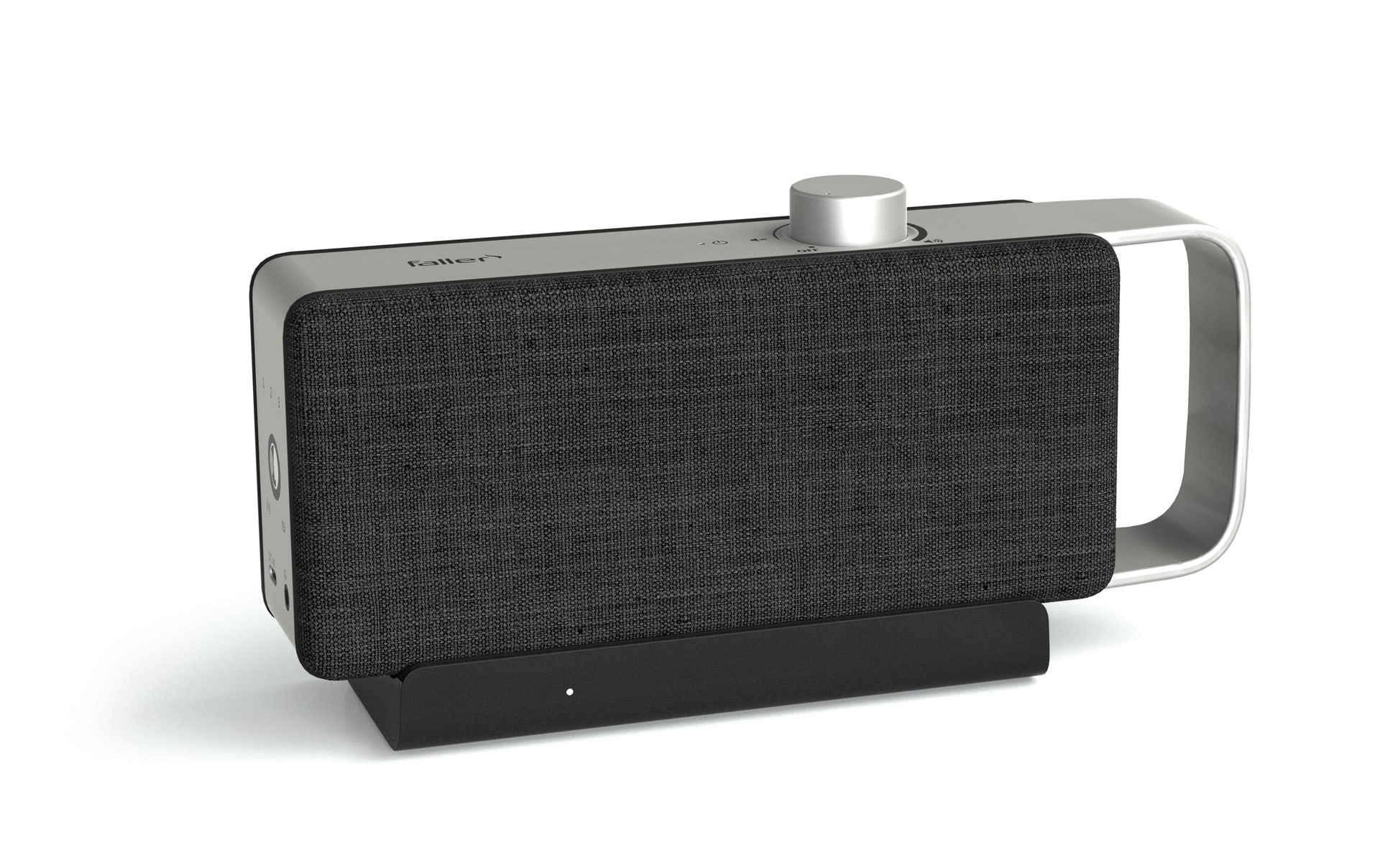
Kabellos mit Basisstation
Einige TV-Lautsprecher setzen nicht auf Bluetooth, sondern auf eine eigene kabellose Übertragung über eine Basisstation. Diese wird per optischem Kabel (TOSLINK) oder 3,5-mm-Klinke direkt mit dem Fernseher verbunden und überträgt das Audiosignal per Funk an den Lautsprecher. Diese Technik bietet eine besonders stabile Verbindung ohne Latenz und erspart das Koppeln, wie es bei Bluetooth üblich ist. Ein weiterer Vorteil ist die größere Reichweite im Vergleich zu Bluetooth, sodass sich der Lautsprecher flexibel im Raum positionieren lässt – beispielsweise direkt neben dem Sofa.
HDMI-Anschlüsse
HDMI ist einer der gängigsten Standards für die Verbindung von TV-Lautsprechern und bietet eine herausragende Klangqualität. Besonders die Funktionen HDMI ARC (Audio Return Channel) und HDMI eARC (Enhanced Audio Return Channel) haben sich als äußerst praktisch und leistungsstark erwiesen.
HDMI ARC
Diese Funktion ermöglicht die bidirektionale Übertragung von Audiosignalen, sodass sowohl der Ton vom Fernseher an die Lautsprecher als auch Videosignale an andere Geräte über dasselbe Kabel übertragen werden können. Dies reduziert den Kabelsalat erheblich und ist ideal für die meisten modernen Fernseher und Soundbars. Dennoch bedeutet HDMI auch eine kabelgebundene Verbindung, was weniger Flexibilität bei der Platzierung der Lautsprecher bietet, im Vergleich zu kabellosen Alternativen.
HDMI eARC
eARC ist eine Weiterentwicklung des ARC-Standards und bietet besonders für Heimkino-Enthusiasten eine höhere Audioqualität. eARC unterstützt hochauflösende Audiosignale wie Dolby Atmos und DTS:X, was den Klang noch immersiver und detaillierter macht. Ähnlich wie bei ARC ist auch eARC auf eine kabelgebundene Verbindung angewiesen, was die Flexibilität in Bezug auf die Lautsprecherplatzierung im Raum weiter einschränkt.
HDMI-Vorteile und -Nachteile: HDMI bietet nicht nur exzellente Klangqualität, sondern auch eine einfache Bedienung. Viele Geräte lassen sich über HDMI-CEC (Consumer Electronics Control) steuern, was eine bequeme Anpassung der Lautstärke und anderer Einstellungen direkt über die TV-Fernbedienung ermöglicht. Während HDMI also eine hervorragende Audioqualität und eine benutzerfreundliche Steuerung bietet, ist es im Vergleich zu kabellosen Systemen hinsichtlich der Flexibilität bei der Platzierung von Lautsprechern eingeschränkt.
Optische und koaxiale Anschlüsse
Optische und koaxiale Verbindungen sind bewährte Methoden, um Fernseher und Lautsprecher zu verbinden, insbesondere bei älteren Geräten oder wenn HDMI nicht verfügbar ist. Diese digitalen Verbindungen bieten eine zuverlässige und präzise Audioübertragung, sind jedoch technisch in ihrer Leistung im Vergleich zu modernen HDMI-Verbindungen etwas eingeschränkt und, im Gegensatz zu kabellosen Optionen, weiterhin auf Kabel angewiesen.
Optischer Ausgang (Toslink): Der optische Ausgang über Toslink ist eine hervorragende Alternative zu HDMI, da er digitale Audiosignale mit hoher Präzision überträgt. Diese Verbindung ist besonders bei Soundbars und Receivern beliebt, da sie eine stabile und störungsfreie Übertragung ermöglicht. Ein wesentlicher Vorteil von Toslink ist die Immunität gegenüber elektromagnetischen Störungen, da der optische Anschluss Lichtimpulse statt elektrische Signale nutzt. Ein Nachteil dieser Verbindung ist jedoch, dass sie keine hochauflösenden Mehrkanalformate wie Dolby Atmos unterstützt, was sie im Vergleich zu HDMI für anspruchsvollere Heimkino-Systeme weniger geeignet macht. Zusätzlich ist diese Verbindung, wie auch HDMI, kabelgebunden, was die Flexibilität bei der Lautsprecherplatzierung im Raum einschränkt, im Gegensatz zu kabellosen Verbindungen.
Koaxialer Ausgang: Der koaxiale Ausgang ist eine weniger verbreitete, aber ebenfalls leistungsstarke digitale Verbindung. Ähnlich wie Toslink überträgt koaxiales Kabel digitale Audiosignale, jedoch über ein elektrisches Signal, das durch ein Kupferkabel übermittelt wird. Diese Verbindung bietet eine robuste und störungsfreie Signalübertragung, hat jedoch den Nachteil, dass sie in modernen Geräten immer weniger zu finden ist. Koaxiale Anschlüsse sind oft noch in älteren TV-Modellen zu finden, wo sie eine solide Lösung für die Audioübertragung bieten. Wie bei Toslink ist auch der koaxiale Anschluss eine kabelgebundene Lösung, die in Bezug auf Flexibilität und Bewegungsfreiheit weniger ideal ist als kabellose Verbindungen.
Beide Optionen – optisch und koaxial – bieten eine solide Klangqualität und sind in der Lage, digitale Audiosignale zuverlässig zu übertragen. Im Vergleich zu HDMI bieten sie jedoch weniger Flexibilität, insbesondere wenn es um die Unterstützung von hochauflösenden Mehrkanal-Audioformaten geht. Zudem sind beide, ebenso wie HDMI, kabelgebunden, was die Flexibilität der Lautsprecherplatzierung im Raum einschränkt. Sie sind besonders nützlich für ältere Geräte oder in Fällen, in denen HDMI nicht verfügbar oder notwendig ist, aber für Nutzer, die das beste Klangerlebnis mit modernsten Audioformaten anstreben, sind sie technisch eingeschränkt und bieten weniger Flexibilität als kabellose Lösungen.
Bluetooth: Kabellose Freiheit für TV-Lautsprecher
Bluetooth hat sich als praktische Lösung etabliert, besonders für Nutzer, die auf Kabel verzichten möchten. Diese kabellose Technologie ermöglicht eine einfache Verbindung zwischen dem Fernseher und Lautsprechern, ohne dass zusätzliche Hardware erforderlich ist. Viele moderne Fernseher und Lautsprecher bieten Bluetooth-Schnittstellen, die eine unkomplizierte Einrichtung ermöglichen. Sobald die Geräte miteinander gekoppelt sind, kann der Ton drahtlos übertragen werden, was insbesondere in minimalistischen Setups oder bei mobilen Lautsprechern von Vorteil ist.
Vorteile von Bluetooth-Verbindungen: Der größte Vorteil von Bluetooth ist die einfache Handhabung. Die Verbindung kann schnell und ohne komplizierte Verkabelung hergestellt werden. Dadurch ist Bluetooth besonders praktisch für Nutzer, die eine schnelle Lösung suchen, ohne sich um Kabelverlegungen kümmern zu müssen. Die Flexibilität bei der Platzierung der Lautsprecher ist ein weiterer Pluspunkt, da keine Kabel zur Verbindung mit dem Fernseher notwendig sind. Bluetooth eignet sich hervorragend für kleinere Räume, bei denen eine schnelle und unkomplizierte Installation gewünscht ist. Auch tragbare Lautsprecher profitieren von Bluetooth, da diese problemlos zwischen verschiedenen Geräten gewechselt werden können.
Zu beachtende Aspekte: Wie bei jeder kabellosen Verbindung können bei Bluetooth-Verbindungen gelegentlich Latenzzeiten auftreten, insbesondere bei der Synchronisierung von Bild und Ton. Diese Verzögerungen sind in der Regel gering, können aber bei manchen Anwendungen wie Filmen oder Spielen bemerkbar sein. Die Klangqualität wird ebenfalls von der verwendeten Bluetooth-Version und den unterstützten Codecs beeinflusst. Neuere Versionen wie Bluetooth 5.0 bieten eine bessere Reichweite und stabilere Verbindungen, während ältere Versionen oder Standard-Codecs (wie SBC) in einigen Fällen die Klangqualität etwas beeinträchtigen können. Für alltägliche Anwendungen und kleinere Räume bietet Bluetooth jedoch eine sehr gute Klangqualität und ist eine sehr praktische Lösung. Für Nutzer, die besonders hohe Ansprüche an die Audioqualität stellen, könnte jedoch eine kabelgebundene Lösung in Betracht gezogen werden, um die bestmögliche Klangtreue zu gewährleisten.
Schritt-für-Schritt-Anleitung
Die Einrichtung von TV-Lautsprechern ist einfacher, als es auf den ersten Blick scheint. Mit einer klaren Schritt-für-Schritt-Anleitung lassen sich Lautsprecher problemlos anschließen und das Klangerlebnis optimieren.
- Anschlussart wählen:
Die passende Anschlussart basierend auf den verfügbaren Schnittstellen des Fernsehers und der Lautsprecher auswählen. Häufige Optionen sind HDMI ARC/eARC, TOSLINK (optisch) oder Bluetooth. Überprüfen, welche Anschlüsse sowohl der Fernseher als auch die Lautsprecher bieten, und den besten Anschluss für die jeweiligen Bedürfnisse wählen. - Geräte vorbereiten:
Den Fernseher und die Lautsprecher einschalten. Die entsprechenden Anschlüsse an beiden Geräten lokalisieren, um sicherzustellen, dass die richtigen Kabel verwendet werden. Alle Geräte sollten ordnungsgemäß angeschlossen und eingeschaltet sein. - Verbindung herstellen:
- HDMI: Ein HDMI-Kabel in den HDMI ARC/eARC-Anschluss des Fernsehers und den entsprechenden HDMI-Anschluss an den Lautsprechern oder der Soundbar stecken. Darauf achten, dass der HDMI ARC/eARC-Anschluss korrekt verwendet wird, um die bidirektionale Audioübertragung zu ermöglichen.
- TOSLINK: Das optische Kabel an den TOSLINK-Anschluss sowohl am Fernseher als auch am Lautsprecher anschließen. Dabei auf die korrekte Ausrichtung des Kabels achten, da es eine spezielle Form hat und nur in eine Richtung passt.
- Bluetooth: Die Lautsprecher in den Pairing-Modus versetzen und im TV-Menü nach den Bluetooth-Einstellungen suchen. Den Lautsprecher aus der Liste der verfügbaren Geräte auswählen und die Verbindung bestätigen.
- Audioeinstellungen anpassen:
Im Menü des Fernsehers den entsprechenden Audioausgang auswählen, der zur getätigten Verbindung passt (z. B. HDMI oder Bluetooth). Falls verfügbar, den Modus „externe Lautsprecher“ aktivieren, um sicherzustellen, dass der Ton über die angeschlossenen Lautsprecher und nicht über die eingebauten TV-Lautsprecher ausgegeben wird. - Klang testen und optimieren:
Einen Film oder eine Musikquelle starten, um die Klangqualität zu überprüfen. Auf die Lautstärke und die Klarheit des Klangs achten. Gegebenenfalls die Lautstärke und die Klangeinstellungen im TV-Menü oder an den Lautsprechern anpassen, um den besten Klang zu erzielen. Unterschiedliche Audioformate testen, um sicherzustellen, dass die Lautsprecher optimal arbeiten. - Lautsprecherpositionierung:
Die Platzierung der Lautsprecher beeinflusst maßgeblich das Klangerlebnis. Sicherstellen, dass die Lautsprecher in einem geeigneten Abstand zur Hörposition und in der richtigen Höhe positioniert sind. Hindernisse, die den Klang blockieren könnten, vermeiden und die Raumakustik berücksichtigen, um eine optimale Klangverteilung zu erreichen. - Kabelmanagement:
Achten, dass alle Kabel ordentlich verlegt sind, um Stolperfallen zu vermeiden und die Ästhetik des Raumes zu wahren. Kabelkanäle oder -clips verwenden, um die Kabel entlang der Wände oder unter dem Teppich zu führen. - Regelmäßige Wartung:
Regelmäßig die Verbindungen und Kabel auf Abnutzung oder Beschädigungen überprüfen. Die Lautsprecher vorsichtig reinigen, um Staubansammlungen zu vermeiden, die die Klangqualität beeinträchtigen könnten.
Fehlerbehebung – Häufige Probleme und Lösungen
Bei der Verbindung von Lautsprechern und Fernsehern können verschiedene Probleme auftreten. Hier sind typische Fehler und deren Lösungen, um häufige Störungen zu beheben:
Kein Ton trotz korrekter Verbindung
- Sicherstellen, dass die Lautsprecher eingeschaltet und auf die richtige Quelle eingestellt sind (z. B. HDMI, Bluetooth oder TOSLINK).
- Im TV-Menü überprüfen, ob der korrekte Audioausgang ausgewählt wurde, da dieser manchmal noch auf die eingebauten Fernsehlautsprecher eingestellt sein kann.
- Überprüfen, ob die Lautstärke sowohl am Fernseher als auch an den Lautsprechern ausreichend hoch eingestellt ist.
Bluetooth-Verbindungsprobleme
- Die Bluetooth-Geräte entkoppeln und erneut verbinden. Eine neue Kopplung kann oft helfen, die Verbindung wiederherzustellen.
- Sicherstellen, dass keine anderen Bluetooth-Geräte in der Nähe sind, die die Verbindung stören könnten. Gegebenenfalls andere Geräte entfernen oder ausschalten.
- Prüfen, ob die Bluetooth-Reichweite überschritten wurde und sicherstellen, dass die Geräte nicht zu weit voneinander entfernt sind.
Latenz bei kabellosen Verbindungen
- Wenn der Ton nicht mit dem Bild synchron ist, kann ein Bluetooth-Adapter mit aptX Low Latency helfen, die Verzögerung zu reduzieren und die Synchronisation zu verbessern.
- Alternativ auf kabelgebundene Verbindungen umsteigen, um Latenz zu vermeiden, da diese keine Verzögerungen verursachen.
Verbindungsabbrüche
- Bei optischen Kabeln: Überprüfen, ob das Kabel korrekt und fest in den Anschluss eingesteckt ist. Ein lockerer Anschluss kann die Verbindung unterbrechen.
- Bei HDMI-Anschlüssen: Das HDMI-Kabel auf sichtbare Beschädigungen oder Abnutzung überprüfen. Gegebenenfalls ein anderes Kabel testen, um sicherzustellen, dass es keine Störungen verursacht.
- Sicherstellen, dass die HDMI-Anschlüsse am Fernseher und an den Lautsprechern sauber und frei von Staub oder Schmutz sind, da dies ebenfalls zu Verbindungsproblemen führen kann.
Diese häufigen Probleme lassen sich mit den richtigen Maßnahmen schnell beheben, sodass das Fernseherlebnis ohne größere Störungen genossen werden kann.
Weitere Artikel

Gesunde Süßigkeiten-Alternativen für Senioren
Die Lust auf Süßes gehört für viele Menschen zum Alltag. Doch klassische Süßigkeiten enthalten oft große Mengen Zucker und liefern

Gemeinsam kochen im Alter
Mit zunehmendem Alter verändert sich der Alltag auf vielfältige Weise. Die Kinder sind aus dem Haus, der Partner ist vielleicht

Proteinreiche Ernährung im Alter
Mit zunehmendem Alter verändert sich der Körper auf vielfältige Weise, und die Ernährung spielt dabei eine entscheidende Rolle für Gesundheit