HÖRST
Frequently asked questions about TV speakers | Our top 25 FAQs about TV speakers
September 25, 2025
8 minutes reading time

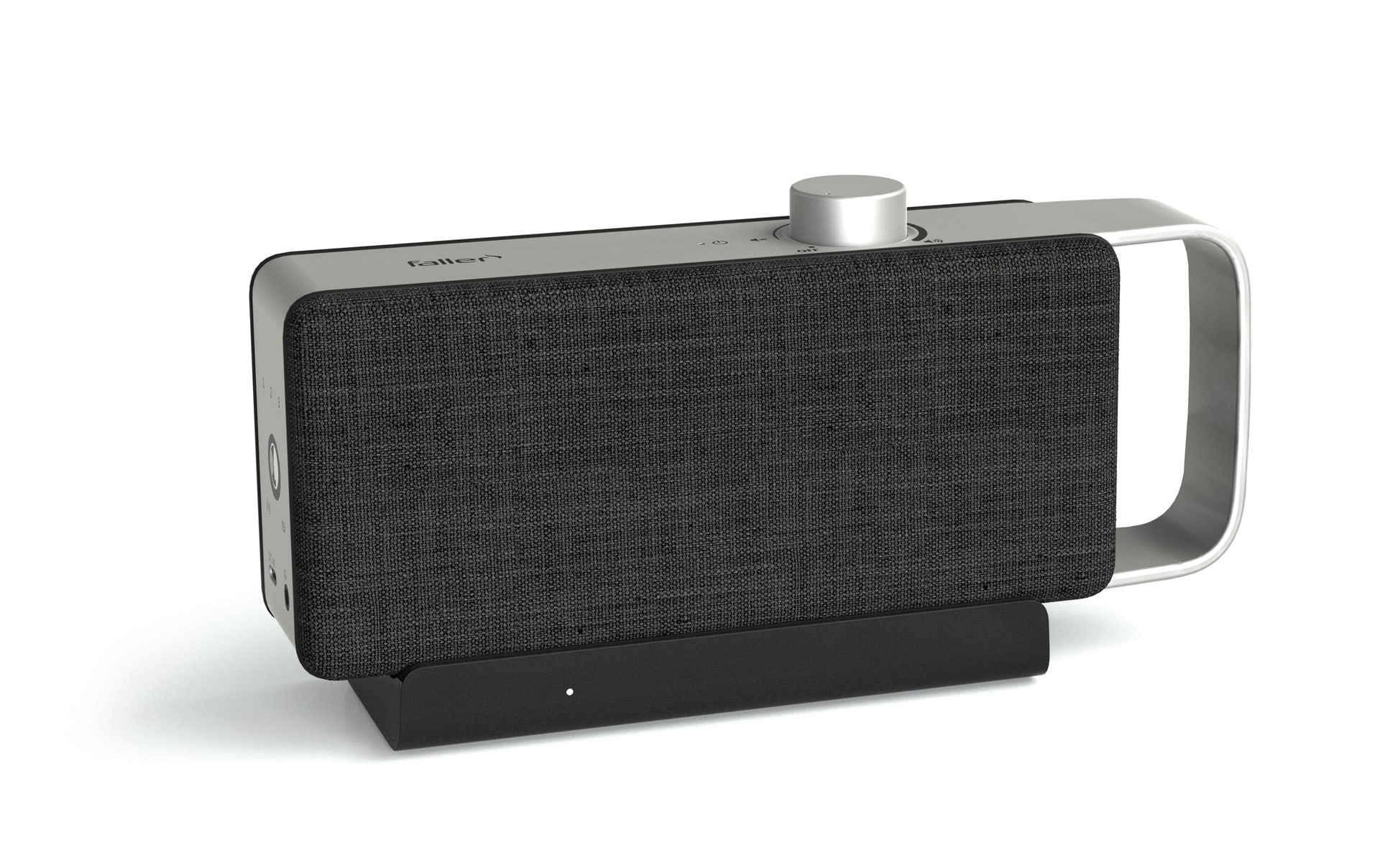
OSKAR
Portable TV voice amplifier
Advertisement
Table of contents
01. Why do many televisions sound thin?
Due to their design, modern flat screens only allow for small drivers and unfavorable speaker positions. This results in limited bass, restricted dynamics, and poor speech intelligibility. The speakers often radiate downward or backward, which means that direct sound is missing at the listening position. Room reflections and compressed audio sources further amplify this impression. External solutions specifically compensate for these shortcomings.
02. How exactly do external TV speakers help?
External systems enlarge the sound stage, stabilize the bass, and clearly highlight voices. This makes dialog more understandable, effects more precise, and music more complete. Special functions such as dialog modes or volume corrections address typical TV problems. The improvement is particularly noticeable in larger rooms or when watching movies. These improvements are especially noticeable for users with hearing difficulties.
03. TV speakers built into the device or soundbar—which makes more sense?
Integrated solutions score points in terms of space requirements, but remain limited in terms of sound quality. Soundbars are designed to deliver significantly more presence in voices and a more powerful low-frequency foundation. Many models also support object-based sound formats and can be integrated into the living environment in a space-saving manner. The decision depends on the desired level of quality and the available space. In most living situations, the soundbar delivers the audibly greater improvement.
04. What types of TV speakers are available?
The spectrum of TV speakers ranges from integrated and external compact/standard speakers to soundbars and subwoofers to surround sound systems. Wireless versions via Bluetooth or Wi-Fi offer greater freedom of placement. Each design addresses specific needs, such as voice focus, room illumination, or bass foundation. The selection should be based on room size, listening distance, and usage profile. A systematic overview makes it easier to classify the options.
05. What is a subwoofer on a TV good for?
Subwoofers complete the frequency foundation and provide physically perceptible depth for movies and music. Active models simplify integration because the amplifier is already built in. In larger rooms, this allows for a fuller sound without overloading the main speakers. Room size plays a key role in the selection process. When properly tuned, the subwoofer complements the sound precisely instead of dominating it.
06. Why are dialogues often difficult to understand?
Several factors come into play: limited TV chassis, unfavorable radiation, and dense mixes with loud music and effects. Compression in streams can further swallow fine articulation. External speakers with a focus on speech specifically boost the midrange. Adaptive volume controls also smooth out level jumps between scenes and commercials. Overall, this results in a much more consistent speech image.
07. How can volume fluctuations be reduced?
Many systems offer features that balance differences between quiet dialogue and loud effects. These leveling algorithms work in real time and keep the level more consistent. In combination with suitable sound modes, this further increases intelligibility. This makes a difference in everyday life, especially with streaming content. The result is quieter, less tiring listening.
08. For whom are dialogue-focused solutions particularly suitable?
Anyone who wants to understand speech more reliably in TV series, news programs, and movies will benefit from this. Specific filters emphasize the mid-frequency range in which voices are located. This reduces the need to constantly increase the overall volume. Together with leveling functions, this makes listening more relaxed. This is particularly useful in everyday life for people with hearing problems.
09. Which connections are recommended?
HDMI ARC simplifies the connection, while eARC provides higher bandwidth for demanding formats. Optical TOSLINK connections are robust against interference, but do not support object-based multi-channel formats. If you are connecting older devices, analog connections offer simple alternatives, albeit with more limited quality. It is important to set clear priorities: digital first, analog only when necessary. This ensures that the chain remains technically consistent.
10. Bluetooth or cable—which is better?
Bluetooth maximizes flexibility and tidiness, but depending on the codec, it can introduce potential latency. A wired connection via HDMI or optical cable provides a stable and synchronized connection. Modern Bluetooth versions significantly increase range and reliability. For pure TV use, a wired connection is often the safest choice. Those who want to be mobile and flexible in terms of room placement will benefit from wireless setups.
11. How do you pair Bluetooth speakers with the TV?
Current TVs support common Bluetooth standards and simplify pairing. For older models, transmitters help to provide the signal wirelessly. Newer Bluetooth versions improve range and stability, which is noticeable in everyday living room use. Codecs such as aptX reduce delays for synchronous sound. Optionally, multi-pairing allows you to switch quickly between sources.
12. Are Bluetooth speakers a good substitute for TVs?
They offer remarkable advantages in terms of placement and operation for flexible setups. The range and stability of modern versions are sufficient for typical living spaces. Sound modes and dialogue optimization allow content to be adapted for everyday use. Latency remains an issue, but it can be managed with the right codecs. Overall, they are a practical solution without cable clutter.
13. How do you position a soundbar correctly?
Placed centrally below or above the screen, the soundbar ensures even coverage. A slight tilt angle toward the listening position improves directness. The subwoofer should not be placed too close to a wall or corner to avoid booming. Rear channels in surround setups should be placed behind the seating position. This creates a stable, comprehensible soundstage.
14. What role does room acoustics play?
Hard surfaces reflect sound, soft materials dampen it—it's all about balance. Carpets, curtains, or panels reduce annoying echoes. Standing waves occur particularly in larger or rectangular rooms, which can distort individual frequencies. Even small changes can make a noticeable difference. A simple clap test can give you an idea of where there's room for improvement.
15. What distances and heights are appropriate?
Front channels should be at ear level and symmetrical to the listening position. An equilateral triangle between the speakers and the seating position facilitates stereo center. The subwoofer works best away from corners and immediate wall edges. Rear speakers should be placed behind the listening zone for a convincing surround effect. Small changes in position can have a big impact on sound quality.
16. Compact or standard speakers – what is the difference?
Compact models save space and focus on precise reproduction in the near to mid-range. Standard speakers fill larger rooms more confidently and offer more reserves. The decision depends on listening distance, room volume, and desired volume level. Both variants can be usefully expanded in combination with a subwoofer. This creates a system that meets your own priorities.
17. How do I complete the initial setup step by step?
First, select the appropriate connection, preferably HDMI ARC/eARC or optical. Then adjust the audio settings to suit the content and room. Sound modes and volume uniformity help to mitigate typical TV problems. Optionally, calibration can be performed to refine levels and frequencies. Finally, integration into a smart home is recommended, if desired.
18. What are the benefits of system calibration?
Calibration adjusts the interaction between speaker distances, levels, and frequency response to the room. This makes voices more centered, bass more controlled, and effects more precisely locatable. An equalizer also allows for fine tuning according to taste. In problematic rooms, this can mitigate gross acoustic errors. The result is consistent, fatigue-free sound.
19. Is Dolby Atmos worth it on a TV?
Compatible TV speakers and an eARC connection for the necessary bandwidth are required. Atmos expands the vertical plane and increases immersion in movies and games. Proper placement and correct device settings are crucial. In suitable rooms, the improvement in quality is significant. Those who frequently watch Atmos content will benefit the most.
20. How do you integrate TV audio into your smart home?
Many systems can be controlled via an app and linked to scenes with lighting or TV. Voice assistants take care of switching, volume, and presets. This requires a stable network connection for the components. In combination with room profiles, this provides quick access to suitable sound modes. This makes the setup convenient and suitable for everyday use.
21. What to do if there is a picture-sound delay?
With Bluetooth, it's worth taking a look at codecs and lip sync settings. Cable connections minimize latency from the outset. In addition, device updates can fix synchronization problems. The delay can often be corrected manually in the audio settings. This ensures that playback is once again synchronized.
22. No sound despite connection – what is the problem?
First check the inputs, source selection, and volume, then test the cables and adapters. With optical connections, an incorrectly seated connector may be the cause. Restarting the device often resets stray HDMI handshakes. Alternatively, cross-check with a second cable or another source. Proceed systematically to narrow down the bottleneck.
23. How should TV speakers be properly maintained?
Dust-free chassis and clean contacts ensure performance over time. Soft cloths and gentle brushes prevent damage to the fabric. Sufficient distance from the wall reduces booming and keeps the sound radiation free. Neatly laid cable routes prevent contact problems and accidents. Regular maintenance is a simple way to ensure consistent sound.
24. Are firmware updates really useful?
Updates stabilize connections, expand formats, and fix sync errors. New versions make a difference in reliability and latency, especially in wireless setups. Manufacturers also gradually optimize sound tuning and functions. It is therefore worth checking occasionally in everyday use. This keeps the chain technically up to date.
25. Which quick measures will bring about the biggest leap forward?
First, optimize the signal path: eARC or optical instead of fragile connections. Then align the speakers neatly and acoustically calm the room. Sound modes, equalizers, and simple calibration round off the fine tuning. Finally, check the firmware to take advantage of the latest improvements. This combination delivers a clearly audible upgrade in a short time.
Further articles

Healthy candy alternatives for seniors
For many people, craving sweets is part of everyday life. However, traditional sweets often contain large amounts of sugar and provide

Cooking together in old age
As we get older, our everyday lives change in many ways. The children have left home, our partner may be

Protein-rich nutrition in old age
As we age, our bodies change in many ways, and nutrition plays a crucial role in our health.