HÖRST
Tips and tricks for TV speakers
September 12, 2025
18 minutes reading time

OSKAR
Portable TV voice amplifier
Advertisement
Table of contents
External TV speakers are the key to an immersive television experience. However, without the right setup and optimization, the sound often falls short of expectations. Whether you're looking for powerful bass, clear dialogue, or a true home theater experience, there are a few tricks you can use to get the most out of any speaker system. Modern technologies such as Dolby Atmos, high-quality soundbars, or subwoofers make impressive sound more accessible than ever before. But even small adjustments and proper care can make a big difference. Here are the best tips and tricks for getting the most out of external TV speakers.
The most important information in brief
- Perfect positioning is crucial: position TV speakers at ear level, maintain minimum distance from walls, do not place subwoofers in corners.
- Sound optimization through equalizer settings, Dolby Atmos for three-dimensional sound, and precise subwoofer fine-tuning of crossover frequencies
- Soundbars offer a compact solution with virtual surround sound – HDMI ARC or optical connections guarantee lossless audio transmission.
- Optimize technical settings: select the correct audio source, use sound modes, calibrate the receiver with calibration microphones for automatic room analysis
- Common problems that can be solved: Check connections if there is no sound, change the subwoofer position if the bass is booming, adjust the audio delay if the sound is out of sync.
- Regular firmware updates for TVs and speakers improve stability, resolve synchronization issues, and unlock new features.
Perfect placement of TV speakers for the best sound
The positioning of TV speakers has a decisive influence on the sound quality of a TV system. Even small adjustments to their placement can greatly improve sound reproduction and optimize the overall listening experience. To achieve the best possible sound, it is important to observe a few basic principles.
First, TV speakers should ideally be placed at ear level. This ensures that the sound is directed directly at the listening position and can therefore be perceived more clearly and precisely. If the external TV speaker is positioned too high or too low, this can lead to uneven sound perception. In addition, a minimum distance from walls should be maintained. This distance helps to avoid disruptive reflections that can distort the sound. Especially with TV speakers that produce low frequencies (such as a subwoofer), placing them too close to a wall can lead to unpleasant distortion and less precise bass.
Another important aspect is the distance between the TV speakers and the seating position. Uniform distances ensure a balanced and harmonious sound image, with all frequencies distributed evenly throughout the room. This is particularly important for surround sound systems with external TV speakers, where the correct placement of the rear and center speakers is crucial for the surround sound experience. Incorrect positioning of the rear speakers, which are responsible for the sounds from the background, can result in the sound being less immersive and the direction of the sounds not being perceived correctly.
Some types of TV speakers require special attention when it comes to placement. Subwoofers used as external TV speakers benefit from being positioned close to the wall to amplify the low frequencies. However, care should be taken to ensure that the subwoofer is not placed directly in a corner. In corners, subwoofers tend to overemphasize the bass and fill the room with too much "booming," which can negatively affect sound quality. Precise placement is also crucial for soundbars used as external TV speakers. Ideally, these should be placed centrally below or in front of the TV, as they are responsible for clear dialogue reproduction. Asymmetrical placement can result in distorted or uneven sound.
Sound optimization with small adjustments and big results
Even the best TV speaker system needs fine-tuning to perfectly match the sound to the room acoustics and personal taste. Even high-quality external TV speakers or soundbars can only deliver their full performance when they are configured correctly. The right settings ensure that all frequencies are perceived clearly and evenly, making the overall experience as realistic as possible.
Use Dolby Atmos and surround sound
Modern TV speakers equipped with Dolby Atmos or surround sound technology offer a whole new dimension of sound. Atmos-compatible systems create three-dimensional sound that completely immerses the viewer in the action on the screen. By positioning speakers around the room—and, in the case of Atmos, above the head as well—impressive sound effects are created that come from above and all around, making the audio experience much more intense.
Surround sound systems such as 5.1 or 7.1 also offer an immersive sound experience. The correct positioning and configuration of the speakers is crucial here. The rear and center speakers must be positioned so that the sound is perceived evenly and without distortion from all directions. Incorrect placement can result in certain channels being too loud or too quiet, which disrupts the immersive experience. Correct positioning and alignment of the speakers ensures that sound effects and dialogue are clear and realistic.
Equalizer settings
Another important step toward optimizing sound is using the equalizer. This allows you to adjust the sound to the acoustic conditions of the room and your individual preferences. The equalizer allows you to individually control the treble, midrange, and bass of the external TV speakers. In a room with difficult acoustics, such as one with many hard surfaces that reflect sound, the equalizer can help soften the sound so that the treble is not too shrill and the bass is not too boomy.
A well-adjusted equalizer ensures that the sound remains clear and balanced. For external TV speakers used in larger or irregularly shaped rooms, the equalizer can also help reduce unpleasant echoes or reverberation. Especially in rooms with a lot of glass or hard wood, this setting can significantly improve the sound and "acoustically adjust" the room.
Subwoofer fine tuning
Another essential element in a TV audio system that is often overlooked is the fine tuning of the subwoofer. The subwoofer provides the low frequencies and contributes significantly to a full and powerful sound image. However, it must be properly integrated into the overall system to ensure that the bass does not sound overwhelming or uncontrolled.
The crossover frequency between the subwoofer and main speakers must be set so that the low frequencies of the two do not compete with each other. If the crossover frequency is set too high, the bass from the main speakers and the subwoofer may collide, resulting in an unclean sound. If the crossover frequency is set too low, the subwoofer may dominate too much and drown out the mid-range frequencies of the main speakers.
Proper fine-tuning ensures that the subwoofer perfectly complements the low frequencies without the bass sounding unpleasant or too strong. This setting is particularly important when playing action movies or music that requires powerful bass, but also requires clarity and precision in the mid and high frequencies.
Soundbars as practical all-rounders for TV sound
Soundbars are an ideal solution for anyone who wants to improve their TV sound with minimal effort. Especially in apartments or rooms where space is limited, they offer an excellent way to enhance audio quality without having to install a complex speaker system. They provide a compact alternative to traditional speaker systems and are particularly suitable for users who are looking for a simple yet effective audio experience.
Why soundbars are a good choice
Soundbars combine multiple speakers in a compact housing and are easy to install. They are designed to significantly improve the sound experience by directing the sound directly to the listening position. Most modern soundbars also offer features such as virtual surround sound, which simulates a surround sound experience even though only a single device is used. A soundbar can thus significantly improve the audio quality of a TV without the need to distribute multiple speakers throughout the room.
A major advantage of soundbars is that many models offer integrated subwoofers or the option of wireless connection to a subwoofer. These additional components provide significantly stronger bass, which is particularly beneficial for action films or music. The integrated or wireless subwoofer provides a fuller soundscape and amplifies the low frequencies, creating an immersive experience. This means that users are not limited by the space requirements and cabling of a traditional subwoofer.
Optimization of soundbars
To get the most out of your soundbar, it's important to choose the right connection options. HDMI ARC (Audio Return Channel) or optical connections guarantee lossless audio transmission and ensure a stable, high-quality connection between your TV and soundbar. HDMI ARC is particularly practical because it not only transmits the audio signal to the soundbar, but also enables bidirectional communication, allowing you to control your TV and soundbar with a single remote control.
For soundbars with a wireless subwoofer, it should be positioned optimally in the room to maximize bass reproduction. The subwoofer should not be placed directly in the corner of the room, as this can lead to excessive bass amplification. Instead, it is better to place it at a point in the room that distributes the sound evenly without the bass "booming." Careful positioning of the subwoofer ensures that the bass remains powerful and precise, improving the overall sound experience of the soundbar.
OSKAR as a soundbar
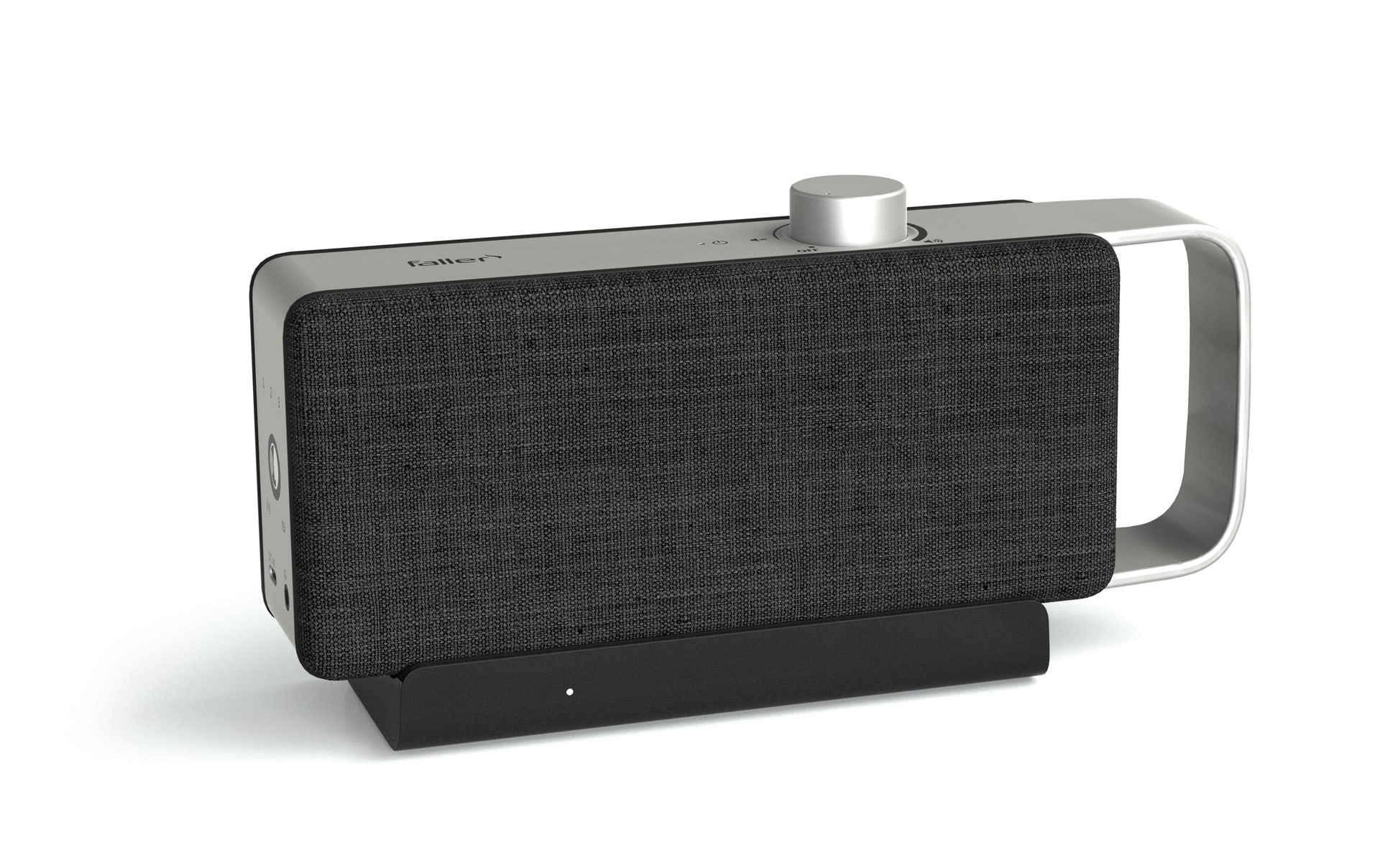
The OSKAR TV speaker can also be described and used as a soundbar, as it offers excellent sound quality in a compact form and significantly improves the audio performance of a TV. Like a traditional soundbar, it combines multiple speakers in one device and ensures clearer dialogue and balanced sound reproduction. In addition, the OSKAR TV speaker is easy to install and offers seamless integration with modern televisions. Thanks to its unique speech optimization technology, it also delivers a targeted improvement in speech intelligibility, making it the ideal choice for users with hearing problems or those who want to understand the dialogue in movies and series more clearly.
Subwoofer tips for rich bass without compromise
The subwoofer is the heart of any sound system when it comes to reproducing low frequencies. When properly adjusted and positioned, it delivers the necessary pressure and ensures a powerful and full sound experience that creates an intense feeling when listening to music or watching movies and TV series. It is important to position and configure the subwoofer so that the low frequencies are reproduced both powerfully and precisely.
The right placement
The placement of a subwoofer can have a significant impact on sound quality. To find the ideal position, a technique called subwoofer crawling is useful. This involves first placing the subwoofer at the listening position and then determining the best sound by testing different locations in the room. The idea behind this method is that the subwoofer is perceived differently in different areas of the room, depending on how the waves spread and interact with the walls and furniture. By placing the subwoofer at different points and selecting the position based on the best bass, you can achieve the perfect sound.
It is advisable not to place the subwoofer directly in a corner, as this can often lead to excessive bass that fills the room with unpleasant booming. Instead, the subwoofer should be positioned at a point that distributes the bass evenly without emphasizing it too much. A position near the wall is often ideal, but it is best to avoid placing it too close to the wall or in a corner, as this can distort the bass.
Adjust settings
Another important aspect when integrating a subwoofer into a speaker system is the settings. Many subwoofers offer various adjustment options to optimize the sound. The most important settings include:
- Volume: The volume of the subwoofer should be adjusted so that it complements the other speakers in the system without dominating the sound. A subwoofer that is too loud can drown out the entire sound, while one that is too quiet may not achieve the desired effect. The volume should harmonize with the overall volume of the other speakers.
- Phase: The phase determines whether the subwoofer plays in harmony with the other speakers in the room. Incorrect phase can cause the subwoofer to delay the sound or conflict with the other speakers. The phase should be set so that the low frequencies are well matched with the mid and high frequencies from the other speakers.
- Crossover frequency: The crossover frequency sets the point at which the subwoofer takes over responsibility for the low frequencies that are no longer reproduced by the main speakers. This frequency should be adjusted so that the transition between the subwoofer and the other speakers is seamless, without the subwoofer sounding too dominant. A crossover frequency that is too high can result in the bass not being deep enough, while a frequency that is too low can cause the transitions to sound unclear.
Surround sound for that home theater feeling in your living room
Surround sound systems are the first choice when it comes to creating a true cinema experience. To ensure that the sound is truly immersive, it is crucial to configure the speakers correctly. Only then can the surround sound unfold its full effect and take the home cinema experience to a whole new level.
speaker placement
The placement of the speakers is key to achieving balanced surround sound. The front speakers should be positioned to the left and right of the TV in order to optimally align the main sound source with the listening position. The center speaker should be placed in the middle, either directly above or below the TV, as it is responsible for reproducing dialogue and central sound elements. The rear speakers, on the other hand, should be placed behind the seating position to support the surround sound and create the feeling that the sound is coming from all directions.
Dolby Atmos for the third dimension
The integration of Dolby Atmos provides an even more intense home theater experience. Atmos-compatible speakers or ceiling speakers expand the sound upwards, giving it a three-dimensional feel. This technology allows the sound to move from above or around the viewer, providing a more realistic and immersive experience, especially for action movies or 3D audio effects. With Dolby Atmos, your home theater setup becomes a surround sound system that incorporates not only the horizontal but also the vertical sound dimension.
Technical settings to get the most out of the system
The sound quality of a TV system depends not only on the hardware, but also on the correct settings on the TV and speakers. Optimal configuration of the technical aspects ensures that the entire system performs at its best and takes the sound experience to the next level.
Check audio source
A crucial step in configuring your TV audio system is selecting the right audio source on your TV. The selected audio output must be compatible with the connected speakers or soundbar. Frequently used options are HDMI ARC or optical connections, which ensure lossless audio transmission. When using HDMI ARC, this input must be enabled on both the TV and the speakers to allow proper communication between the devices. For optical connections, you should also ensure that the correct input is selected in the TV menu.
Equalizer and sound modes
Many televisions and speaker systems offer the option of adjusting the sound via equalizer settings and preset sound modes. The equalizer allows you to individually control the treble, midrange, and bass to adapt the sound to the acoustic conditions of the room and your personal preferences. In addition, various sound modes such as "Movie," "Music," or "Sports" offer preset sound profiles that are specifically tailored to the respective content. For example, "Movie Mode" can boost the bass and raise the treble to enhance the sound experience when watching movies, while "Music Mode" allows for a more balanced and clearer playback of music tracks.
Receiver options
Another technical aspect that helps with sound optimization is receivers with calibration microphones. These receivers automatically analyze the room acoustics and adjust the speaker configuration so that the sound is distributed evenly throughout the room. By using the calibration microphone, the audio output is not only adjusted to the room, but also to the specific position of the speakers and seating. This feature ensures that the sound always remains balanced and precise, regardless of the size of the room or the placement of the TV speakers.
Troubleshooting common problems
Even with optimal setup, problems can arise that impair the listening experience. Fortunately, many of these challenges can be resolved with simple measures. Here are the most common problems and their solutions in detail:
No sound or poor sound quality
- Check connections: Are all cables properly plugged in and free of physical damage? HDMI and optical cables should be securely connected, as a loose connection can lead to signal loss.
- Select audio source: Set the correct audio source in the TV menu, e.g., "HDMI ARC" or "Optical." A common mistake is using the wrong source.
- Test inputs: If there is still no sound, try another input on the TV or speaker to rule out a connection fault.
- Check the volume: Ensure that the speakers and TV are not muted or set to an extremely low volume.
Basses booming
- Change the subwoofer position: A subwoofer that is too close to a wall or in a corner can produce boomy bass. Moving the subwoofer to the center of the room or to a less reflective location can often solve this problem.
- Adjust the crossover: The crossover frequency between the subwoofer and main speakers can be adjusted via the receiver or subwoofer settings. A lower frequency often prevents the bass from becoming too dominant.
- Improve room acoustics: Echoes and resonances can be minimized with carpets, curtains, or acoustic panels. Bass frequencies are often too strong, especially in empty rooms.
Asynchronous sound
- Use audio delay settings: Many televisions and receivers offer a function to synchronize sound and image. This function can be adjusted in the menu under "Audio Delay" or "Lip Synchronization."
- Fix Bluetooth latency: Latency can occur with wireless connections. Using devices with aptX Low Latency significantly reduces delays. Alternatively, a wired connection can be selected.
- Perform firmware updates: Some devices require an update to resolve synchronization issues.
Restart device
- A simple restart: It often helps to disconnect the TV and speakers from the power supply for a few minutes. This resets minor software errors and reestablishes the connection.
- Reset to factory settings: If restarting does not solve the problem, resetting both the TV and the speakers to their factory settings may help. This will delete all configurations, which often solves connection problems.
Connection problems with Bluetooth
- Disconnect and reconnect: If the connection between the TV and speakers is unstable, disconnect the devices in the Bluetooth settings and reconnect them.
- Avoid interference: Bluetooth signals can be disrupted by other electronic devices such as Wi-Fi routers. Increase the distance between your device and such devices.
- Note the range: Bluetooth has a limited range. If speakers or TVs are too far apart, this can lead to connection interruptions.
Unclear or distorted dialogues
- Adjust equalizer settings: Use an equalizer to emphasize the midrange frequencies to make dialogue easier to hear.
- Check the center speaker: For surround sound systems, ensure that the center speaker is correctly connected and aligned. This speaker is responsible for most of the dialogue.
Problems with firmware or software
- Install firmware updates: Regular updates for TVs, speakers, or receivers often fix bugs and improve performance. Check for updates and install them.
- Check compatibility: Some older devices have problems with new audio formats or connection methods. If necessary, consider adapter solutions or new hardware.
Firmware updates for TV speakers and televisions
Many modern external TV speakersand televisions offer regular firmware updates to integrate new features or fix existing bugs. These updates are an important part of ensuring that the audio system functions optimally and remains compatible with the latest technologies.
Why firmware updates are important
Firmware updates play a crucial role in connection stability and can help optimize sound quality. They often improve communication between the TV and connected speakers, making audio transmission more efficient and stable. Bug fixes provided by firmware updates can resolve issues such as picture and sound synchronization problems, connection interruptions, or unwanted interference in sound reproduction. In addition, new features can be unlocked that improve the user experience, such as advanced sound modes or support for additional audio formats.
Regular updates
It is recommended to regularly check for new firmware updates in the menu of your TV or speakers. These updates are often easy to install and require only a few steps. Once an update is available, it should be installed promptly to ensure that the system remains up to date and delivers the best possible performance. In many cases, the installation of an update is also offered automatically when the device is connected to the Internet.
Further articles

Healthy candy alternatives for seniors
For many people, craving sweets is part of everyday life. However, traditional sweets often contain large amounts of sugar and provide

Cooking together in old age
As we get older, our everyday lives change in many ways. The children have left home, our partner may be

Protein-rich nutrition in old age
As we age, our bodies change in many ways, and nutrition plays a crucial role in our health.