HÖRST
Tips and tricks for setting up TV speakers
September 15, 2025
15 minutes reading time

OSKAR
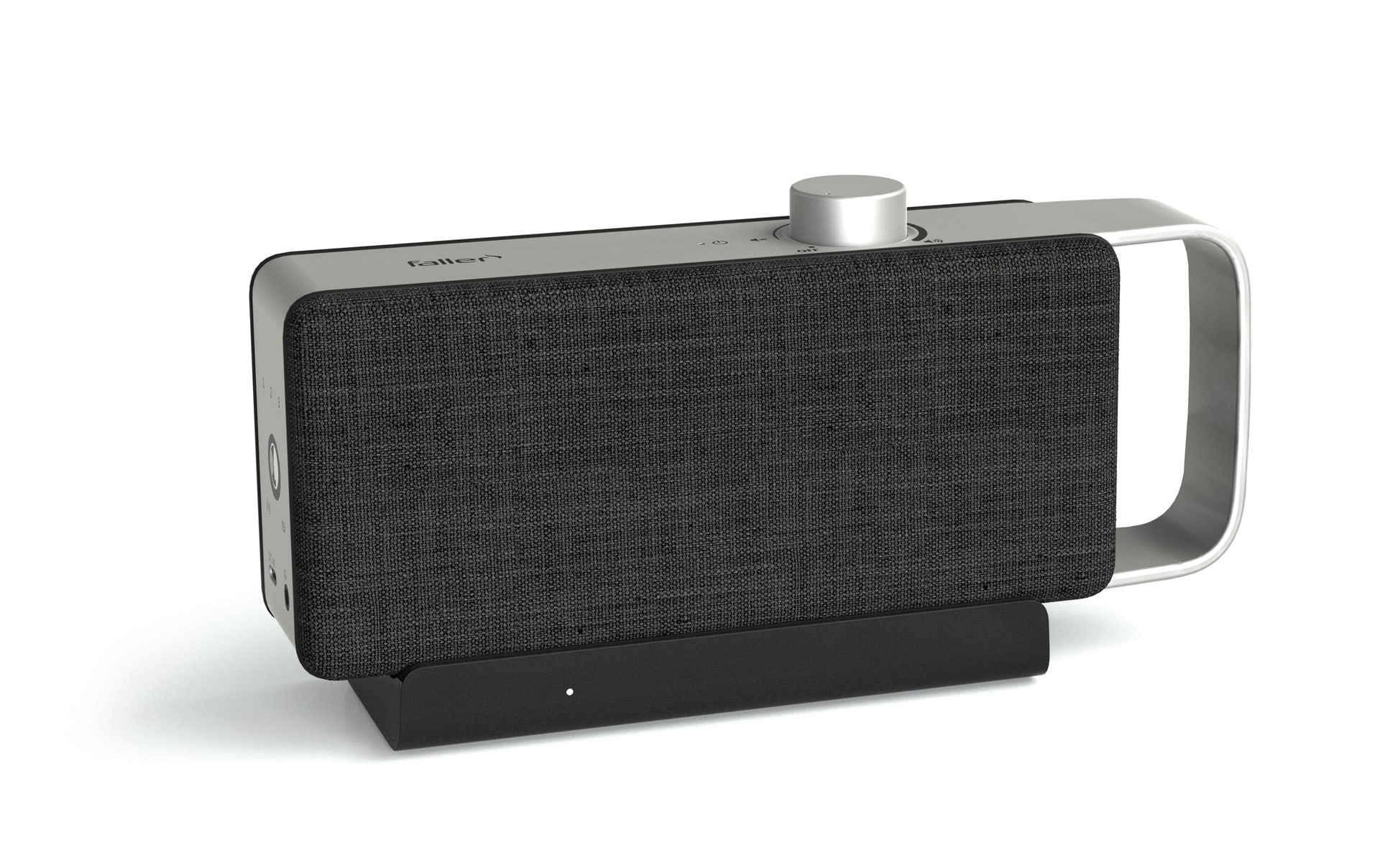
Portable TV voice amplifier
Advertisement
Table of contents
The sound of a TV is at least as important as the picture when it comes to creating a truly immersive entertainment experience. However, the sound from the built-in speakers of modern TVs is often disappointing, as they frequently deliver a flat, muffled sound. This is where external TV speakers, soundbars, or home theater systems come into play. With the right setup and a few simple tricks, you can significantly improve the sound—whether you're watching movies, series, listening to music, or watching the news.
Choosing the right speakers and placing them correctly are crucial to realizing the full sound potential. Room acoustics and selecting the right connection technology also play an important role in achieving the best sound. This section presents some valuable tips and tricks on how to optimize the sound of a TV using simple means. Whether you use a soundbar, TV speakers, or a complex home theater system, the right settings will significantly improve your TV viewing experience.
The most important information in brief
- Perfect positioning is crucial: front speakers at ear level, sufficient distance from the wall to avoid reflections, subwoofer crawling helps with optimal bass positioning.
- HDMI ARC/eARC offer the best sound quality with remote control – Bluetooth for wireless flexibility, aptX Low Latency reduces synchronization problems
- Soundbars are space-saving all-rounders with wireless subwoofers – rear speakers can be added for a true surround sound experience.
- Significantly improve room acoustics with carpets, curtains, and acoustic panels—hard surfaces create disruptive reflections and echoes.
- Surround sound and Dolby Atmos create a cinema atmosphere – correct speaker placement is required for immersive 360-degree sound reproduction.
- Troubleshooting through restarting, firmware updates, and connection checks – Equalizer and sound modes optimize sound for different content
The perfect speaker setup in your living room
Optimal sound quality starts with the correct placement of the TV speakers. Often, even a small change in positioning is enough to achieve significant improvements in the sound. Correct speaker positioning helps to ensure that the sound is clear, balanced, and reproduced with the right dynamics.
Speaker positioning
The front speakers should be positioned at ear level if possible to ensure the best sound quality. This ensures that the treble and mid-range frequencies are optimally audible. In addition, the speakers should be positioned evenly to the left and right of the TV to achieve a balanced sound image. The distance from the wall is also crucial. If speakers are too close to the wall, the sound can be distorted by reflections, which can lead to a boomy or unclear sound. A certain distance from the wall helps to minimize these reflections and ensures better sound clarity.
Subwoofer positioning
The position of the subwoofer plays a key role in bass reproduction. The subwoofer should not be placed in corners, as this can lead to boomy bass that distorts the sound image. A helpful trick for finding the best position is called subwoofer crawling: the subwoofer is placed at the listening position and then tested around the room to find where the bass sounds best. Once the optimal spot has been found, the subwoofer can be permanently positioned there to deliver even and precise bass.
Consider room size
The size of the room has a significant impact on speaker placement. In larger rooms, speakers often require more power or additional subwoofers to ensure consistent sound. In larger living rooms, it may be advisable to expand the speaker system to ensure that the sound is evenly distributed even in the farthest corners of the room. In such cases, additional speakers or another subwoofer can help improve the listening experience and make better use of the room acoustically.
With the right speaker placement and a few simple adjustments, the sound of a TV system can be significantly improved, resulting in an even better viewing experience.
Connections – HDMI, Bluetooth, and more
Connecting the speakers to the TV is a crucial step for lossless audio transmission. Modern technologies offer various options here, which can be selected according to your needs and preferred flexibility.
HDMI ARC and eARC
HDMI ARC (Audio Return Channel) is one of the preferred connection methods because it enables high-quality transmission of audio signals while also allowing control via the TV remote control. With HDMI ARC, both audio and video can be transmitted via the same cable, reducing cable clutter and simplifying handling. eARC, the evolution of ARC, even supports lossless audio formats such as Dolby Atmos, making it the preferred choice for high-end audio.
Bluetooth connections
Bluetooth is an excellent choice for wireless flexibility. It allows speakers to be connected without cables and is easy to set up. However, latency can be an issue, especially when synchronizing image and sound, which can be distracting when watching movies and TV shows. Models with aptX Low Latency offer lower latency and can minimize this problem, bringing the sound closer to the image.
Optical cables and AUX
For older devices that do not support modern digital interfaces such as HDMI or Bluetooth, optical cables or AUX connections offer a solid alternative. These connections are easy to use and offer good sound quality, but not at the same high level as HDMI, especially when it comes to supporting multi-channel audio systems or high-resolution formats such as Dolby Atmos.
Wireless alternatives with base station
In addition to Bluetooth, there are other wireless options that transmit the signal from a base station to the TV speaker. These systems offer a reliable and often more stable connection than Bluetooth, as they are specifically designed for audio transmission. Such wireless systems typically use radio technologies such as 2.4 GHz or 5 GHz to transmit the audio signal without the typical latency issues associated with Bluetooth. A major advantage of these systems is their stable connection even over longer distances or when speakers are placed in larger rooms. The wireless nature of these systems offers additional flexibility in setup and allows for a clean and flexible room design.
Soundbars: Practical solutions for better TV sound
Soundbars are an ideal solution for anyone who wants to improve the sound of their TV with minimal effort. They combine multiple speakers in a compact housing, making them particularly space-saving and easy to install. Soundbars offer an excellent way to enhance the sound of a TV without taking up much space or requiring complicated installation.
Advantages of soundbars
A major advantage of soundbars is that they take up very little space and are particularly well suited to small living rooms or rooms with limited space. Many models also come with wireless subwoofers that enhance bass reproduction and provide deeper, more powerful bass. These subwoofers can be placed anywhere in the room without visible cables, which does not restrict the flexibility and design of the room.
expansion options
Another advantage of soundbars is the ability to expand the sound system. Some soundbar models support the integration of rear speakers, which can be placed behind the seating position. These additional speakers create a true surround sound experience and improve the spatiality of the sound. This makes movie or TV sound more immersive and realistic, taking home entertainment to a new level.
Customize sound modes
Many soundbars offer the option of activating different sound modes that adapt the sound to the respective use. Modifications such as "Movie," "Music," or "News" offer the possibility of optimizing the sound for different content. Movie mode emphasizes surround effects and dialogue, while music mode offers clearer reproduction of highs and bass. News mode ensures that voices are reproduced particularly clearly and intelligibly, which is particularly advantageous for conversations and news reports. With these sound modes, the soundbar can be optimally adjusted for any type of content.
room acoustics
The sound of a speaker is determined not only by the hardware itself, but also by the characteristics of the room. Room acoustics have a significant influence on how sound is perceived. Even the best speakers cannot perform to their full potential in a room with poor acoustic conditions.
Influence of space on sound
A room with bare walls and hard surfaces such as glass, concrete, or tile can negatively affect sound. These surfaces reflect sound and create echoes that distort the sound and make it unclear. These reflections can cause high frequencies to be overemphasized or the overall sound to seem muddy and unclear. A room that is not optimized for audio can therefore significantly degrade the sound of a speaker, even if the speaker itself is of high quality.
Acoustic optimization
Various measures can be taken to optimize room acoustics and improve sound quality. Carpets, curtains, and upholstered furniture absorb sound and thus reduce disruptive reflections. These materials are particularly helpful in rooms with many hard surfaces, making the sound clearer and more pleasant. Acoustic panels are another way to control specific frequencies and improve the sound in a room. These panels help to dampen certain disruptive frequencies and balance the overall sound, ensuring balanced and precise reproduction.
Avoid asymmetrical positioning
The positioning of the speakers plays a key role in sound quality. To create a harmonious sound image, speakers should be placed as symmetrically as possible in the room. An asymmetrical arrangement can result in one-sided sound and a loss of spatiality. Especially with surround sound systems or soundbars, where the speakers are distributed throughout the room, it is important to ensure even distribution in order to guarantee a balanced and realistic listening experience.
Restart, check for updates, and verify connection
The right settings and connections are essential for getting the most out of your TV speakers. However, minor issues can sometimes cause poor sound quality or connection problems. These issues can often be quickly resolved with a few simple steps.
Perform a restart
A simple restart is one of the most common and effective solutions for resolving technical difficulties. If the speaker is not recognized or the connection suddenly appears unstable, restarting can solve many problems. Disconnect the TV and speaker from the power supply for a few minutes and then restart them. This step is often enough to fix connection problems and optimize the sound again, as it may reset faulty connections or software issues.
Install updates
Firmware updates are an important way to optimize the performance of speakers and TVs. Manufacturers regularly offer updates that not only fix bugs but can also unlock new features or improved audio settings. It is advisable to check regularly for updates to ensure that your devices are running the latest version. This can be done through the manufacturer's apps or the device settings. Installing the latest firmware ensures that all features run smoothly and that the device remains up to date with the latest technology.
Check connections
A stable connection between the speaker and the TV is essential for flawless sound reproduction. Therefore, check regularly that all cables are securely and correctly connected. If using a wired system, ensure that the cables are not damaged and are properly seated in the connectors. For wireless systems, especially Bluetooth connections, it may be helpful to re-pair the devices if the connection has been interrupted or is unstable. Re-pairing ensures that the connection remains stable and the sound is reproduced without interruptions.
Surround sound and Dolby Atmos
For anyone who wants to experience a real home theater feeling in their living room, surround sound systems and Dolby Atmos are indispensable. They ensure that the sound doesn't just come from the front, but completely envelops the room, which significantly intensifies the TV experience.
Configuring surround sound systems
The placement of the speakers is crucial for an optimal surround sound experience. To create a complete and balanced soundscape, the front speakers should be positioned evenly to the left and right of the TV, while the center speaker should be placed centrally below or above the screen to reproduce dialogue clearly and precisely. The rear speakers should be positioned behind the seating position or at the sides of the room to deliver sound from behind and create a truly spatial atmosphere. More complex systems, such as a 7.1 system, include a subwoofer to support the low frequencies. Proper placement of these speakers ensures that sound comes from all directions, making the home theater experience realistic and immersive.
Setting up Dolby Atmos
Dolby Atmos expands sound into the third dimension by simulating sounds from above, creating a deeper immersion, especially in action-packed movies or music videos. To use Dolby Atmos, you need Atmos-enabled speakers or soundbars, a Dolby Atmos-compatible TV, and content available in this format. Atmos-enabled speakers that are integrated into the ceiling or project down onto the room ensure that sound sources are positioned vertically in the room, making the surround sound even more realistic. For the best experience, an HDMI eARC connection should also be used to transmit high-resolution audio formats.
Fine adjustments: Equalizer and sound modes
Even after the initial setup, it is important to fine-tune the system regularly to adjust the sound to personal preferences or specific room acoustics. Equalizers and sound modes play an important role here.
Use equalizers
An equalizer allows you to individually adjust treble, midrange, and bass settings to optimize the sound to your personal preferences. For example, if you want to make dialogue clearer or reduce annoying frequencies, the equalizer can be used to ensure that the sound remains clear and balanced. In a room with many hard surfaces or reflective walls, the equalizer can also help improve the sound by attenuating certain frequencies that are amplified by the room acoustics.
Enable dialogue amplification
Many speakers and soundbars offer a dialogue enhancement feature, which is particularly helpful when quiet conversations in movies or louder background noise interfere with intelligibility. This feature ensures that voices stand out clearly without having to increase the overall volume. This keeps the sound balanced while improving speech intelligibility in every scene.
Test sound modes
Modern speakers and soundbars often offer different sound modes that provide preset profiles for different types of content such as movies, music, or games. Each mode is optimized for the specific acoustic requirements of the content. It's worth trying out these modes and choosing the one that best suits your viewing and listening habits. This allows you to tailor the sound to your needs, whether you want clear dialogue, intense action, or balanced music.
These fine adjustments allow surround sound and Dolby Atmos to be further optimized to achieve the best possible sound experience and make the home theater experience even more realistic and impressive.
Troubleshooting speaker setup
Even with the best setup, problems can still occur. Fortunately, these can often be quickly resolved by checking the basic settings and connections and adjusting them if necessary.
No sound
If there is no sound coming from the speakers, you should first check that all connections are correct. Make sure that all cables are securely connected and properly plugged in. If you are using wireless speakers, ensure that the Bluetooth connection or other wireless connections are stable. Also, check that the speakers are turned on and that the correct audio source is selected in the TV or soundbar menu. Sometimes it can also help to restart the system or disconnect the TV and speakers from the power supply and switch them back on after a short time.
Poor sound quality
If the sound is unclear or distorted, this may be due to the equalizer settings or the room acoustics. Check the equalizer settings to ensure that the treble, midrange, and bass are well balanced. If the sound is still unsatisfactory, it may be because the room acoustics are affecting the sound quality. Hard surfaces in the room can reflect sound and distort the sound. In this case, it helps to reconsider the placement of the speakers or use acoustic measures such as carpets, curtains, or acoustic panels to improve sound reproduction.
Asynchronous sound
Another common problem is that the sound is not synchronized with the picture. This often happens when using wireless speakers or when connecting to older TVs. To correct the synchronization, go to the TV or receiver menu and look for the audio delay setting. Here you can adjust the delay so that the sound is synchronized with the image again. Even with modern Dolby Atmos systems, small delays can occur, which can be corrected with this setting.
Further articles

Healthy candy alternatives for seniors
For many people, craving sweets is part of everyday life. However, traditional sweets often contain large amounts of sugar and provide

Cooking together in old age
As we get older, our everyday lives change in many ways. The children have left home, our partner may be

Protein-rich nutrition in old age
As we age, our bodies change in many ways, and nutrition plays a crucial role in our health.