HÖRST
Wireless TV soundbars
November 28, 2025
7 minutes reading time

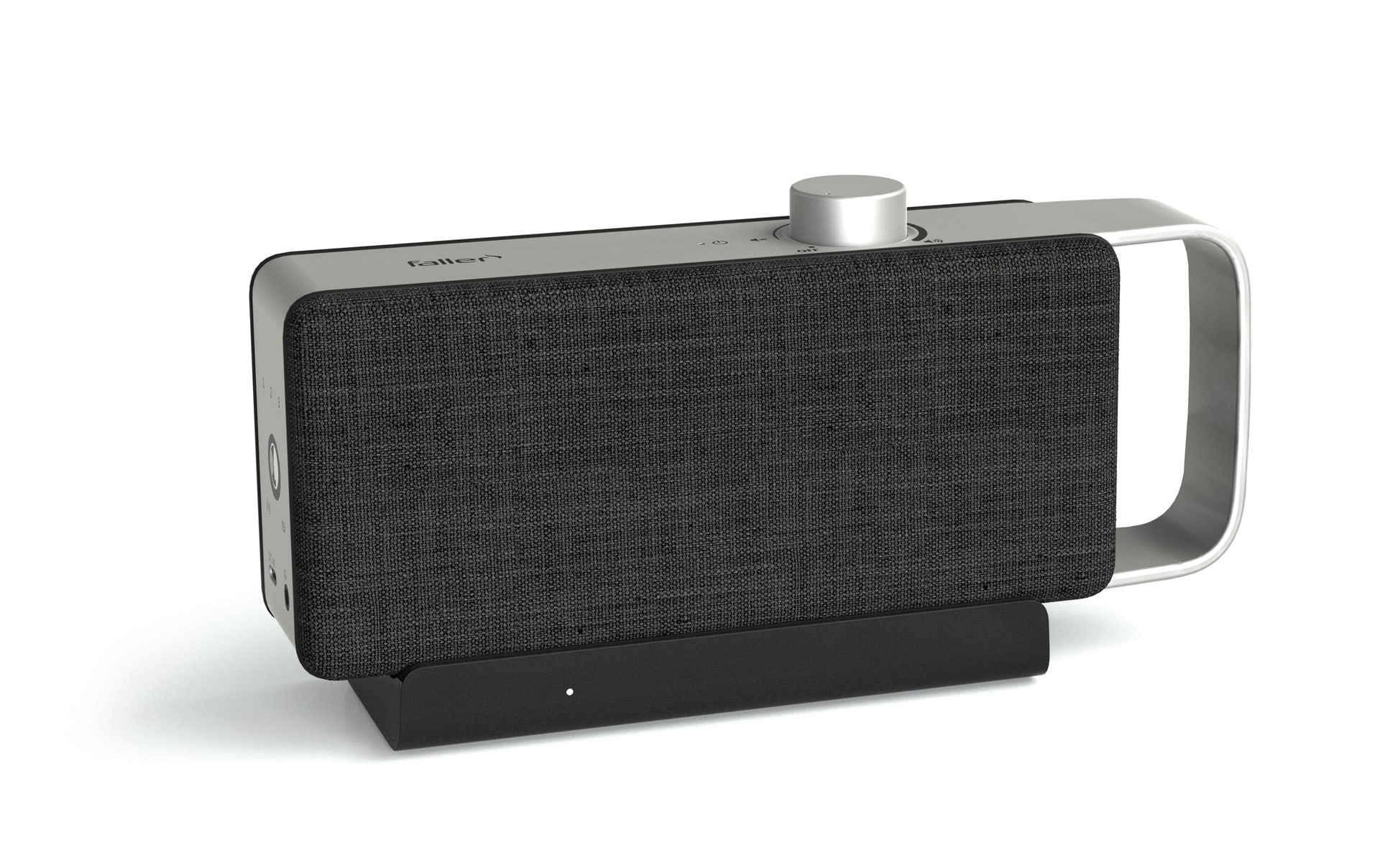
OSKAR
Portable TV voice amplifier
Advertisement
Table of contents
Wireless soundbars have become a popular solution for significantly improving TV sound without sacrificing the aesthetic and practical advantages of tidy cabling. They offer an easy way to experience home theater sound in your own home, from clear dialogue to immersive surround sound. However, the term "wireless" can be interpreted in many ways, especially when it comes to the various transmission technologies used for sound transmission. A thorough understanding of the differences between Bluetooth, Wi-Fi, and proprietary wireless solutions is crucial for making an informed purchase decision.
The most important information in brief
- Wireless soundbars keep your living room tidy and offer flexible placement options.
- Bluetooth is ideal for simple, direct connections without the internet, but has a limited range.
- Wi-Fi enables lossless streaming, long range, and multi-room audio, but requires a network.
- Proprietary wireless technology (e.g., Faller OSKAR) offers extremely low latency and high stability, especially for TV sound.
- The choice of system depends on your requirements: portability vs. high-resolution audio vs. lip synchronization.
- Installation via HDMI ARC/eARC or wireless is usually simple, and updates keep the system up to date.
Why a wireless soundbar enhances the home theater experience
Modern flat-screen TVs are masters of image reproduction, but their slim design often leaves little room for high-quality speakers. The result is often a thin, unimpressive sound that doesn't do justice to the visual experience. A wireless soundbar fills this gap by providing powerful audio enhancement that makes dialogue clearer, music more dynamic, and action scenes more thrilling. Its greatest strength lies in its ability to maintain a tidy aesthetic. The absence of visible cables snaking across the living room contributes significantly to a clean and modern ambience. In addition, many models offer the flexibility to connect subwoofers or rear speakers wirelessly as well, creating a true surround sound experience without having to worry about laying cables. This allows for flexible placement of the speakers in the room, which is a great advantage for optimal sound distribution.
Connection technologies for wireless soundbars
In soundbars, the term "wireless" mainly refers to the connection to the TV and optional components such as subwoofers and satellite speakers. Different wireless technologies are used, each with its own specific advantages and disadvantages.
Bluetooth
Bluetooth is a widely used wireless technology known for its ease of use and portability. For soundbars, this means easy connection to TVs or mobile devices such as smartphones and tablets. Setup is usually intuitive and quick. A key advantage of Bluetooth is that it does not require an internet connection, making it ideal for use in environments where Wi-Fi is not available or desired. However, Bluetooth is limited in terms of bandwidth, which can result in compressed audio transmission. This can lead to a noticeable loss of quality for discerning listeners. In addition, the range is limited compared to Wi-Fi, and the connection can be more susceptible to interference from other wireless devices. Bluetooth is often sufficient for occasional music listening or as a simple sound enhancement, but it quickly reaches its limits when it comes to a sophisticated home theater experience.
wireless local area network
Compared to Bluetooth, Wi-Fi offers significantly higher bandwidth and greater range. These characteristics make Wi-Fi the preferred choice for lossless audio streaming and multi-room systems. With a Wi-Fi connection, soundbars can transmit high-resolution audio data without noticeable compression, resulting in superior sound quality. The greater range allows the soundbar to be placed more flexibly in the room without compromising connection stability. Another major advantage of WLAN is its integration into multi-room audio systems. This makes it possible to play music synchronously in different rooms or to use different sources in different rooms, all controlled via a central app. However, Wi-Fi requires a stable internet connection and often relies on an existing home network. Setup can be more complex than with Bluetooth, especially when it comes to integration into an existing network. In addition, network congestion or signal interference can affect audio transmission, although this is less common than with Bluetooth.
Proprietary radio technology using the example of Faller Audio OSKAR
In addition to Bluetooth and Wi-Fi, there are also proprietary wireless technologies that are developed by manufacturers specifically for their products. An outstanding example of this is the wireless technology used in the Faller Audio OSKAR. This type of wireless connection is a solution tailored specifically to the product, which is usually optimized for a very stable connection and extremely low latency. The OSKAR uses this proprietary wireless technology between a base station, which acts as a transmitter, and the speaker, which receives the sound. This ensures delay-free transmission of TV sound, which is crucial for lip synchronization and an undisturbed viewing experience. The main advantage of these solutions is their reliability and optimization for a specific use case, in this case TV sound transmission. They are often less susceptible to external interference and offer consistent audio quality. The disadvantage is that these systems are usually not compatible with devices from other manufacturers and therefore offer less flexibility than open standards such as Bluetooth or Wi-Fi. However, for users looking for a reliable and optimized solution for a specific application, proprietary wireless technology may be the best choice.
Find the right wireless soundbar
Choosing the right wireless soundbar depends on individual needs and priorities. Those who are primarily looking for simple sound enhancement and value portability may be satisfied with a Bluetooth soundbar. For audiophile users and those who want a comprehensive home theater experience with multi-room capabilities, a Wi-Fi soundbar is the better choice. If the focus is on particularly reliable and low-latency transmission of TV sound, solutions with proprietary wireless technology are worth considering. In addition to the connection technology, important factors to consider when making your selection include the number of channels, support for surround sound formats such as Dolby Atmos, the integration of a subwoofer, and the overall performance of the system. A higher number of channels, for example 3.1.2 or 5.1.2, indicates an immersive soundstage, with the last digit indicating the number of upward-facing speakers for 3D audio effects. Connectivity with other devices via HDMI ARC or eARC, optical inputs, and USB ports should also be taken into account.
Installing and setting up a wireless soundbar
Installing a wireless soundbar is usually straightforward. First, connect the soundbar to a power source and ideally place it under the TV to ensure optimal sound distribution. Depending on the model, it can be connected to the TV via HDMI ARC or eARC, an optical digital input, or wirelessly via Bluetooth or Wi-Fi. Bluetooth connections only require a pairing process, similar to other Bluetooth devices. Wi-Fi soundbars often require a special app from the manufacturer, which guides you through the setup process and enables integration into your home network. Once the connection is established, the TV sound should be output via the soundbar. You may need to adjust the audio output settings in the TV menu. For an optimal sound experience, it is recommended to calibrate the soundbar correctly. Many soundbars offer automatic room calibration systems that adjust the sound to the room acoustics.
Care and maintenance
Wireless soundbars generally require little maintenance. Regularly dusting the surface and speaker grilles with a soft, dry cloth keeps the device looking good and prevents dust from settling in the components. It is advisable to avoid direct sunlight and extreme temperatures to extend the life of the electronics. Software updates, which are provided regularly by manufacturers, should be installed as they often bring performance improvements, new features, and bug fixes. For Wi-Fi-enabled soundbars, these updates are often performed automatically via the network or can be installed manually via an app or USB stick. If you experience connection problems, restarting the soundbar and TV can often help.
Further articles

Healthy candy alternatives for seniors
For many people, craving sweets is part of everyday life. However, traditional sweets often contain large amounts of sugar and provide

Cooking together in old age
As we get older, our everyday lives change in many ways. The children have left home, our partner may be

Protein-rich nutrition in old age
As we age, our bodies change in many ways, and nutrition plays a crucial role in our health.