HÖRST
Installation of TV speakers
September 12, 2025
15 minutes reading time
OSKAR
Portable TV voice amplifier
Advertisement
Table of contents
When setting up and installing TV speakers, it is not only important to choose the right type of speakers, but also to position them correctly and select the optimal connection options. Careful planning can significantly improve the sound experience and ensure that the speaker system performs to its full potential. It is important to choose the right location for the speakers and the right connections to the TV. In addition, a few tips and tricks can help to further optimize the audio experience, whether through the correct use of connection types or by adjusting settings for clearer and more precise sound. More detailed information can be found in the individual sections, which, if necessary, lead to more comprehensive and in-depth explanations.
The most important information in brief
- Room acoustics significantly influence sound quality—hard surfaces create echoes, while soft materials such as carpets absorb disruptive reflections.
- Correct speaker placement is crucial: at ear level, minimum distance from walls, position soundbars centrally below/above the TV.
- Various connection options available: HDMI ARC/eARC for best quality, TOSLINK for interference-free transmission, Bluetooth for wireless flexibility
- Subwoofer crawling helps with optimal bass positioning, equalizer allows individual sound adjustment to suit the room and your preferences
- Plan power supply and cable routing – wireless solutions reduce installation, but require a stable radio connection
- Regular firmware updates improve stability and sound quality, and resolve synchronization issues between picture and sound.
Location and planning
Room acoustics have a significant influence on the sound of a TV speaker. Hard surfaces such as concrete, glass, or bare walls reflect sound and can cause unpleasant echoes and distortion. Soft materials such as carpets, curtains, or acoustic panels absorb sound and reduce reflections, making the sound clearer and more precise. The size and shape of the room also play an important role. Sound is distributed differently in large rooms than in smaller ones, which can make the sound seem less intense. Standing waves often occur, especially in rectangular rooms, amplifying or attenuating certain frequencies, which leads to unbalanced sound. A simple way to test the acoustics is to clap your hands. If echoes are clearly audible, the room should be acoustically optimized. Adding sound-absorbing materials such as carpets, curtains, or acoustic panels can significantly improve sound quality.
Another important point when planning a speaker system is access to power sources and correct cable routing. Especially with external speakers and subwoofers, it is important to have a power source nearby to avoid the need for extension cables. Such cables can not only look unsightly, but also lead to voltage losses, which impair performance. Loose cables can also be dangerous and make the environment look untidy. Cable ducts or baseboards that lay the cable invisibly and securely offer a solution. Those who opt for wireless speakers have the advantage of not having to lay any cables. However, a stable wireless connection is also required here to ensure consistent sound transmission. Care should be taken to ensure that Wi-Fi or Bluetooth are strong enough to deliver the desired sound without interruptions.
The correct speaker placement is also crucial for sound quality. Soundbars should ideally be positioned directly below or above the TV so that the sound is directed straight to the listening position. Slightly tilting the soundbar towards the seating position can make the sound even more precise. Compact speakers should be placed close to the TV, but not too close to walls or in corners, to avoid sound distortion caused by reflections. Standard speakers are particularly suitable when placed in an equilateral triangle to the listening position. The subwoofer, which is responsible for the low frequencies, should not be placed directly against a wall or in a corner to avoid booming. With Bluetooth speakers, it is important to position them close to the TV to ensure a stable connection.
Walls, ceilings, and floors also affect acoustics. Walls reflect sound and can amplify bass, which distorts the sound. Placing speakers away from walls can help balance the sound. The ceiling also has an influence: in high rooms, sound can be reflected unevenly, while in low rooms, sound is reflected more quickly, which can distort the sound. Soft ceiling materials such as acoustic ceilings dampen reflections and improve the sound. The floor also influences sound waves. A hard floor amplifies the sound, which can lead to distortion. Carpets or mats can help to make the sound clearer and more balanced.
The receiver plays a central role in controlling the speaker system. It distributes the audio signal to the speakers and ensures optimal sound quality. Many receivers offer automatic calibration functions that analyze the room acoustics and optimally adjust the speakers. Wireless Bluetooth speakers do not require a receiver, as they connect directly to the TV. These speakers still offer good sound quality and are a simple, flexible solution for enhancing the TV experience. They are ideal for users who value easy installation and flexible placement.
connection options
Modern TV speakers and televisions offer a variety of connection options for optimal sound reproduction. Choosing the right connection depends largely on individual needs and the desired sound quality. HDMI (ARC/eARC) is an excellent choice when it comes to digital sound transmission. With HDMI ARC (Audio Return Channel), the sound from the TV is output via speakers, requiring only one cable for audio and video. For more demanding audio formats such as Dolby Atmos, eARC supports higher bandwidth, enabling even better sound quality. TOSLINK (optical) is also a very common digital connection that is particularly useful when HDMI is not available. The optical connection transmits audio signals via light pulses and is less susceptible to interference, but does not support multi-channel audio formats as HDMI does. AUX and 3.5 mm jack connections are simple, analog connections, but are only suitable for stereo sound and are mainly used with portable speakers and older devices. The RCA connector is mainly found in older hi-fi systems, but is increasingly being replaced by digital solutions in modern setups. Bluetooth, on the other hand, offers the freedom of a wireless connection and allows for easy integration of speakers without cables, but has the disadvantage of possible latency and fluctuating sound quality.
An HDMI connection is ideal for those who want high sound quality, especially in conjunction with modern home theater systems. HDMI ARC offers the advantage of bidirectional audio transmission, connecting the TV and speakers via a single cable. HDMI eARC goes one step further and supports high-resolution audio signals such as Dolby Atmos. While HDMI delivers excellent sound quality and is easy to use, it is less flexible than wireless solutions, as speakers must be placed close to the TV.
TOSLINK and coaxial connections are digital alternatives that offer reliable and accurate audio transmission. They are ideal for applications where HDMI is not available or for older devices that do not support HDMI connections. One disadvantage is that they do not support high-resolution multi-channel audio formats such as Dolby Atmos, making them less suitable for more sophisticated home theater systems.
Bluetooth is a wireless connection that is particularly popular in modern soundbars and portable speakers. It enables quick and easy connection without cables and offers a high degree of flexibility when it comes to speaker placement. However, the sound quality of Bluetooth speakers can depend on the version used and the supported codec, so older Bluetooth versions or low codecs may slightly impair sound quality. For everyday use and smaller rooms, however, Bluetooth is a very practical solution.
Overall, modern TV speakers offer numerous connection types that allow you to optimize sound quality individually. Choosing the right connection depends on your specific requirements and the devices you have. Wireless solutions such as Bluetooth offer flexibility, while wired connections such as HDMI and TOSLINK ensure reliable, high-quality audio transmission. If you have particularly high sound quality requirements, you should choose HDMI or TOSLINK, while Bluetooth is primarily a quick and easy solution.
Connection to the TV
Modern televisions and TV speakers offer a variety of pairing and connection options, each with different advantages and limitations depending on the device and application. Choosing the right connection often depends on the desired sound quality and the specific requirements of the system. HDMI has established itself as the standard connection for modern devices, as it transmits both video and audio signals in the highest quality with a single cable. HDMI ARC (Audio Return Channel) and eARC (Enhanced Audio Return Channel) allow TV sound to be transmitted to external speakers, with eARC additionally offering higher bandwidth and supporting high-resolution audio formats such as Dolby Atmos. This makes HDMI a preferred choice for home theater systems, as it allows for easy integration and reduces cable clutter. However, one disadvantage of HDMI is that it requires a wired connection, which can limit flexibility in placing speakers around the room.
Another common digital connection is TOSLINK, also known as an optical connection. TOSLINK transmits audio signals as light pulses, which prevents interference from electromagnetic interference and ensures stable transmission. This connection is particularly advantageous in environments with many electronic devices, as it is less susceptible to interference. TOSLINK also offers good sound quality for home theater systems with multi-channel audio. However, one disadvantage of TOSLINK is that this connection does not support high-resolution audio formats such as Dolby Atmos, making it less suitable for users who are looking for a particularly immersive sound experience.
Analog connections such as AUX and RCA are still widely used for older devices or simple setups. The AUX connection, often in the form of a 3.5 mm jack plug, is convenient for connecting portable speakers or headphones. This connection transmits the audio signal in stereo and offers a simple way to connect devices. A major advantage of the AUX connection is its widespread use and universal compatibility, especially with portable devices such as smartphones and laptops. However, the disadvantage is the limited sound quality, as analog signals are susceptible to interference and cannot transmit multi-channel audio formats.
RCA connectors, also known as cinch connectors, consist of two cables that transmit the audio signal for the left and right channels. These analog connections are simple, but offer lower sound quality compared to digital connectors, as they are more susceptible to interference and signal loss, especially with long cable runs or low-quality cables. However, RCA connectors are still useful when it comes to integrating older devices that do not offer digital connection options.
As a wireless technology, Bluetooth offers a particularly flexible solution for connecting speakers to your TV. Bluetooth is especially advantageous for mobile speakers or minimalist setups, as no cables are required. The connection is easy to establish, and the speakers can be switched between different devices without any problems. A major advantage of Bluetooth is the high degree of flexibility in speaker placement, as no cables need to be laid, and its ease of use. However, Bluetooth can suffer from latency issues, where the sound is played back with a delay relative to the image. Newer Bluetooth versions such as 5.0 and supported codecs such as aptX Low Latency can largely minimize these problems, but do not offer the same sound quality and stability as wired connections. The sound quality of Bluetooth connections can be affected by the codecs used and the range, which is particularly noticeable with complex audio formats or high-quality home theater systems.
Overall, the various connection types offer different advantages and disadvantages, depending on the user's requirements and the devices used. HDMI and TOSLINK are digital connections that ensure high-quality, loss-free audio transmission, while analog connections such as AUX and RCA have their place in simpler systems. Bluetooth offers flexibility and convenience, but may require compromises in sound quality or synchronization. The choice of the right connection should therefore be tailored to individual needs and the desired sound experience.
Tips and tricks
The perfect positioning of TV speakers has a decisive influence on sound quality and the overall TV experience. Several factors play a role here, such as speaker height, distance from walls, and symmetry of speaker placement. It is important to place the speakers at ear level to direct the sound clearly and directly to the listening position. Placing them too high or too low can lead to uneven sound perception. A minimum distance from walls is also important, as this helps to avoid reflections and distortion. Subwoofers in particular should not be positioned too close to walls or in corners, as this can distort the bass and lead to unpleasant "booming."
The correct spacing between the speakers ensures a balanced and harmonious sound. Correct placement is particularly important for surround sound systems and rear speakers in order to achieve the best possible surround sound experience. These speakers must be positioned so that the sound is evenly distributed and it feels as if the sound is coming from all directions. Soundbars should be placed centrally below or in front of the TV to avoid distortion and uneven sound.
In addition to speaker placement, room acoustics play a major role in sound optimization. Even high-quality speakers need to be fine-tuned to perfectly match the room acoustics and personal preferences. Dolby Atmos and surround sound systems offer three-dimensional surround sound thanks to their special speaker placements. To achieve the best results, the speakers must be optimally positioned in different locations in the room. A subwoofer, for example, must be positioned so that it perfectly complements the low frequencies without disturbing the rest of the sound quality. Fine-tuning the subwoofer, such as adjusting the volume, phase, and crossover frequency, ensures that the bass is reproduced clearly and precisely.
The equalizer is also a useful tool for optimizing sound. The equalizer can be used to individually adjust the treble, midrange, and bass to adapt the sound to the conditions of the room and personal preferences. This is particularly important in rooms with difficult acoustics in order to reduce unpleasant echoes or reverberation and create a balanced sound image.
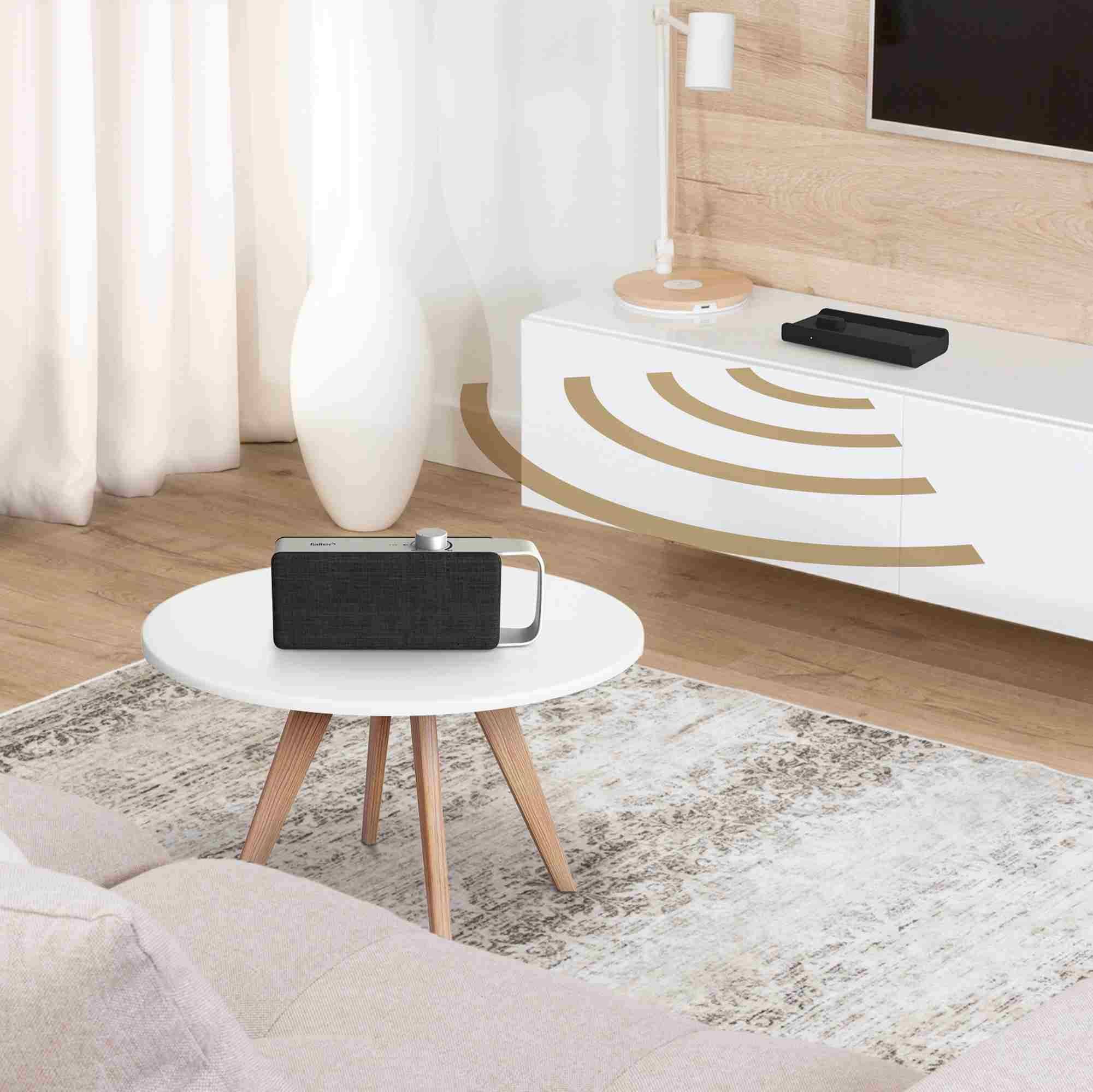
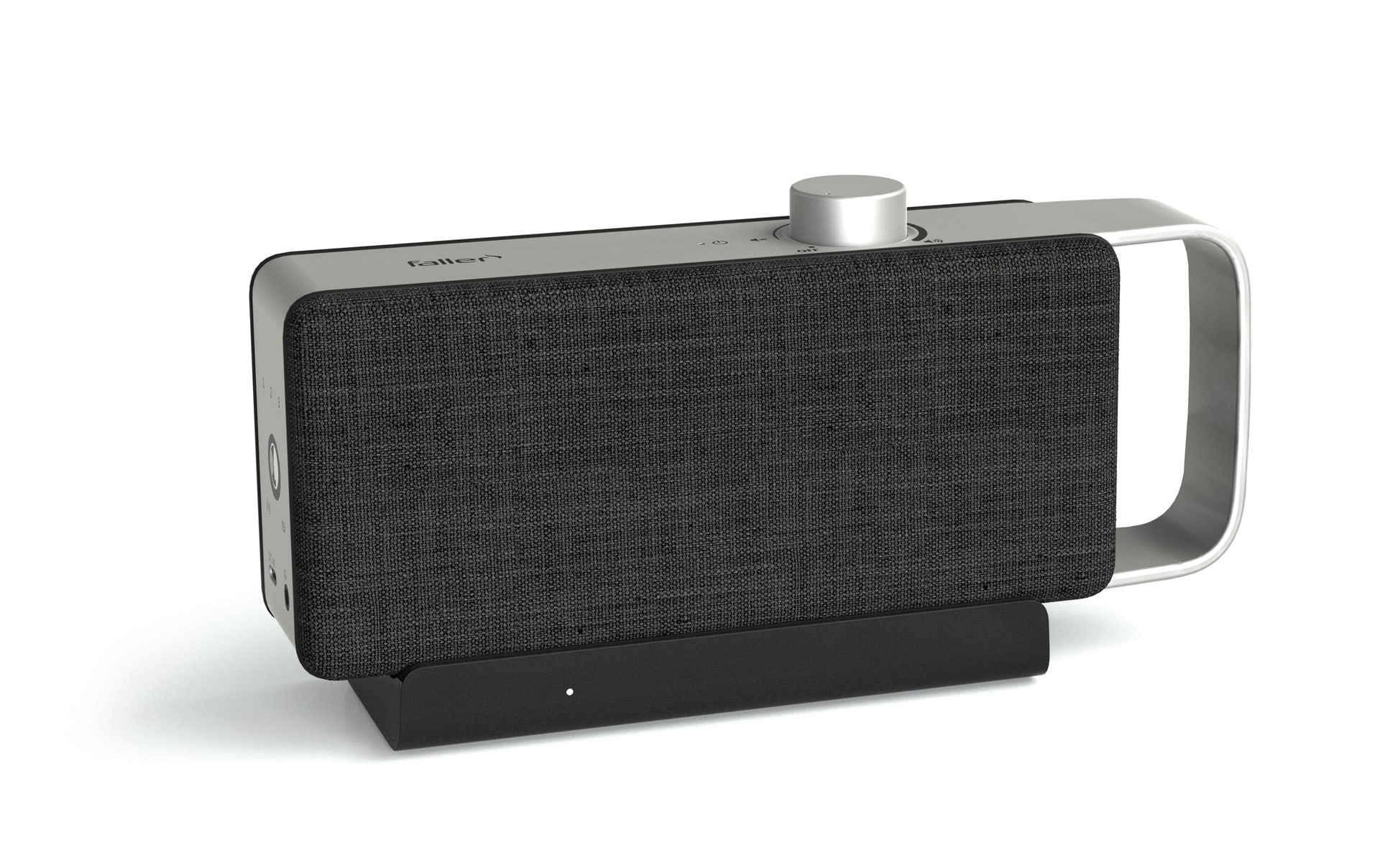
Soundbars are a good choice for users who want a simple and compact solution. They combine multiple speakers in one device and offer an enhanced audio experience without the need to install a complete speaker system. Models with integrated or wireless subwoofers in particular deliver powerful bass and an all-round improved sound experience. The OSKAR TV speaker also works similarly to a soundbar, offering excellent sound quality and clear dialogue in a compact form.
To get the most out of a soundbar, it is important to connect it correctly. HDMI ARC or optical connections ensure lossless audio transmission and provide a stable, high-quality connection between the TV and speaker. HDMI ARC in particular offers the advantage of being able to control both the TV and soundbar volume with a single remote control.
Subwoofers are another important component for a powerful and full sound experience. Their placement is crucial for achieving precise bass reproduction. One method for finding the best location for the subwoofer is called subwoofer crawling, in which the subwoofer is placed at the listening position and then tested at various points in the room. Important settings such as volume, phase, and crossover frequency should be adjusted to integrate the bass harmoniously into the entire speaker system and avoid distortion.
Surround sound is essential for the perfect home theater experience. To get the most out of the surround sound, the speakers must be positioned correctly. Front speakers should be placed to the left and right of the TV, while the center speaker should be positioned in the middle. The rear speakers should be placed behind the seating area to enhance the surround sound. With the integration of Dolby Atmos, the sound is additionally extended to the vertical plane, which leads to an even more immersive experience, especially with action movies.
The sound quality can be further optimized using various technical settings. Equalizer settings and sound modes can be used to adjust the TV and speakers to the room acoustics and content. A calibration microphone helps to adjust the speakers so that the sound is distributed evenly throughout the room, regardless of the room size or speaker placement.
Finally, you should regularly check for firmware updates to ensure that all devices are up to date and offering the best possible performance. Updates not only improve connection stability, but also optimize sound quality and fix any bugs, such as problems with image and sound synchronization.
More tips and tricks for the best TV experience can be found here.
Further articles

Healthy candy alternatives for seniors
For many people, craving sweets is part of everyday life. However, traditional sweets often contain large amounts of sugar and provide

Cooking together in old age
As we get older, our everyday lives change in many ways. The children have left home, our partner may be

Protein-rich nutrition in old age
As we age, our bodies change in many ways, and nutrition plays a crucial role in our health.